Home >
Automotive Data Loggers >
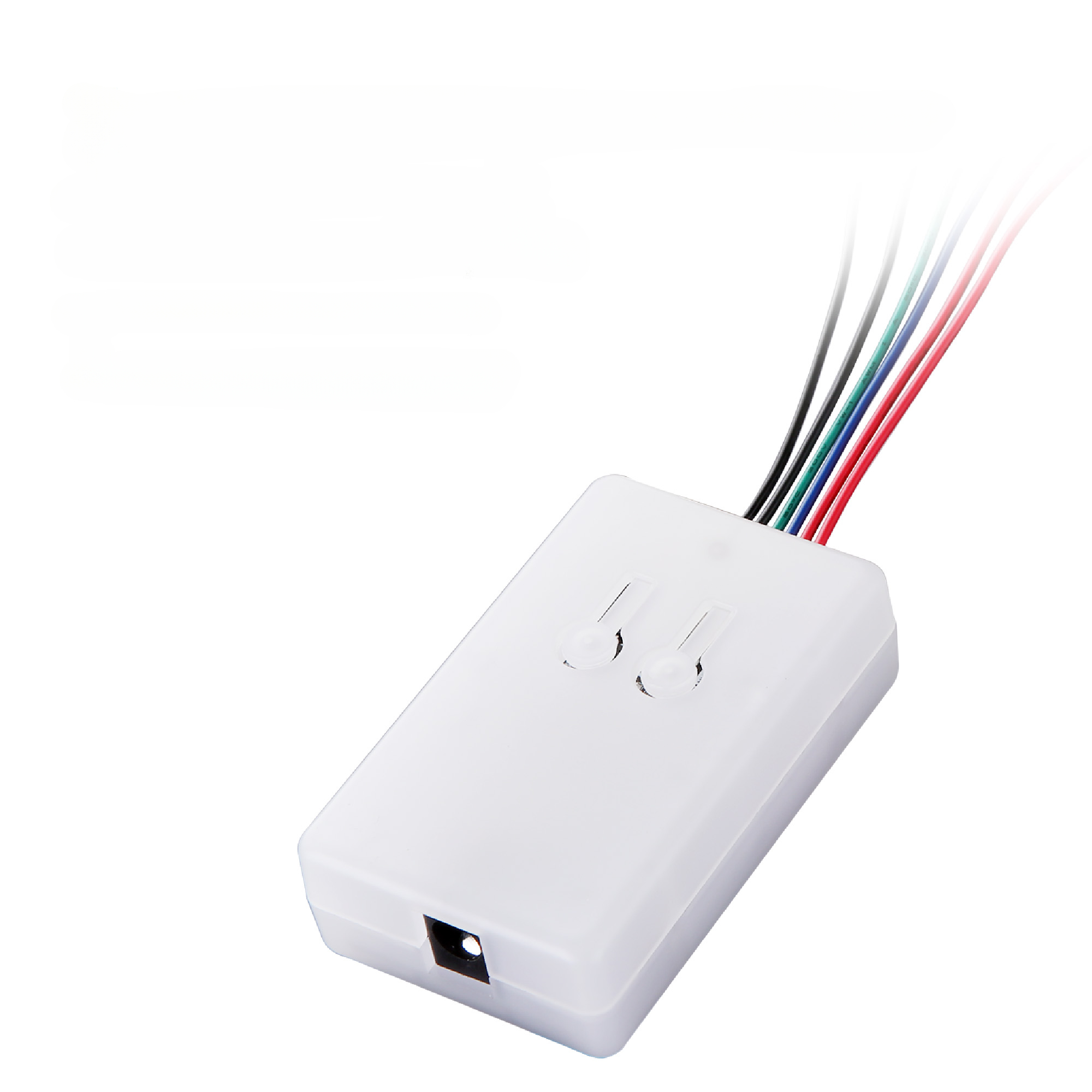
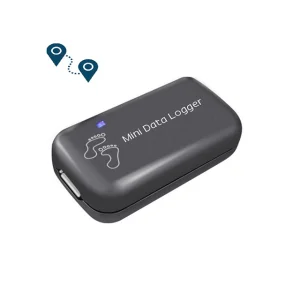
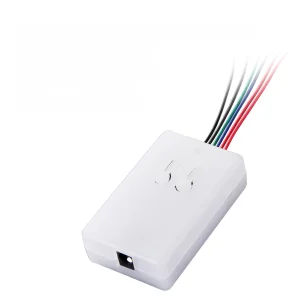
WOYO CTB003 CAN BUS Data Logger for All Car CAN BUS Module Data Transceiver Automotive Diagnostic Tool for EPS/IP/HMI...
1 / 5
WOYO CTB003 CAN BUS Data Logger for All Car CAN BUS Module Data Transceiver Automotive Diagnostic Tool for EPS/IP/HMI...
Note: No data in CTB003. Record the work well and perfect CAN BUS data by yourself before use on the testing module!
Original Brand New CAN Auto Data tool
CTB003 CAN Module Data Record & Activate Diagnostic Tool
CTB003 can record data from vehicle CAN electronic modules and can be reused to quickly activate and wake up electronic modules to test if they work normally or not. It does not need to install the module on the vehicle to test.
Whether you want to upgrade the data of the electronic module (after importing high configuration data, connect CTB003 to your low configuration module and directly upgrade to high configuration mode for use), assist your own DIY module testing platform, or in the situation of Used-goods electronic module recycling and sales (quickly and simply test module can work or not), it can help you more.
CTB003 is small and portable, and can be reused or recorded with data from different modules, making it convenient for the workshop.
Product Advantages:
A good assistant in a repair shop: When you repair a certain module of the car, CTB003 can help you test whether it can work properly without loading it onto the car.
No software required: CTB003 does not require learning CAN analyzer software to use, making it convenient for workbench testing and eliminating the need to connect to a computer.
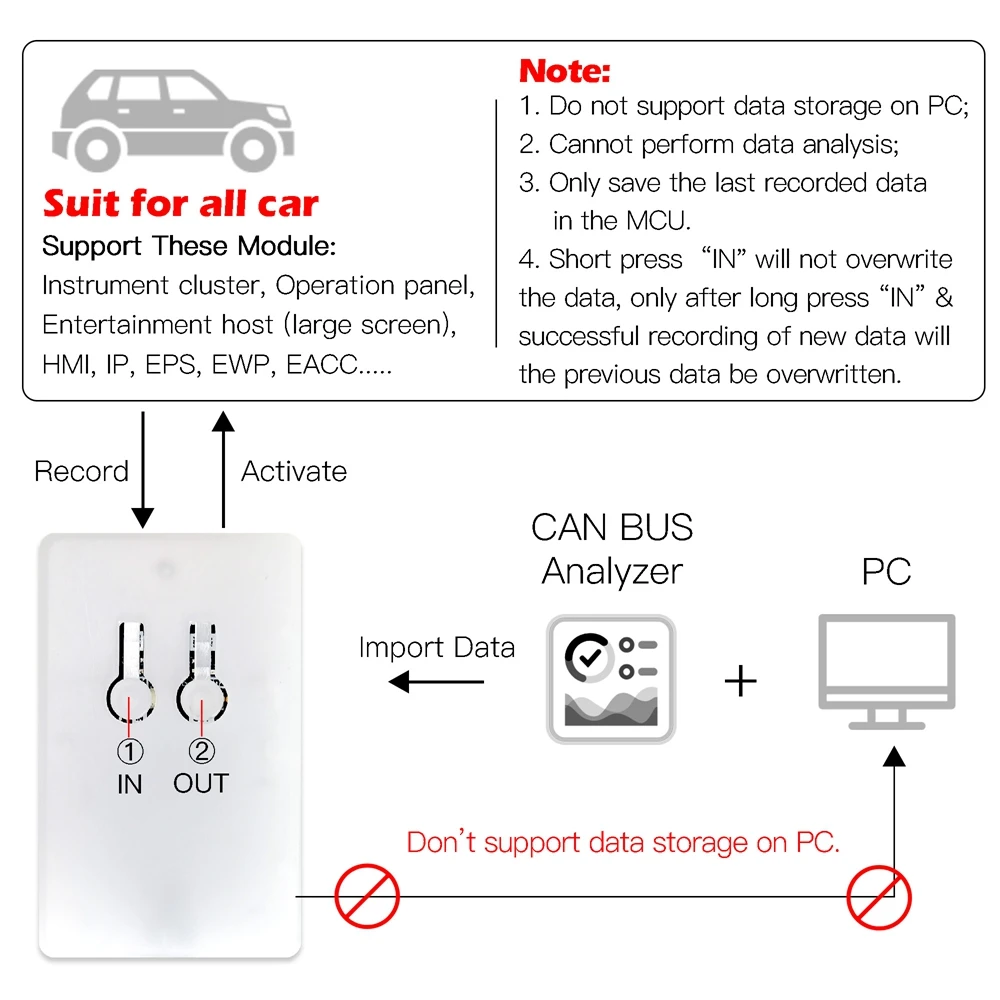
Reusable design: If you want to fix the vehicle model and module to use it, after recording data and completing the test, you can remove the "IN" button to avoid accidentally touching and losing data. Note: Short press of the "IN" key will not overwrite the data. Only after long press of the IN key and successful recording of new data will the previous data be overwritten.
Computer import capability: The computer can import data into CTB003 through a professional CAN BUS analyzer.
New arrival with big discounts!
Applicable Scope:
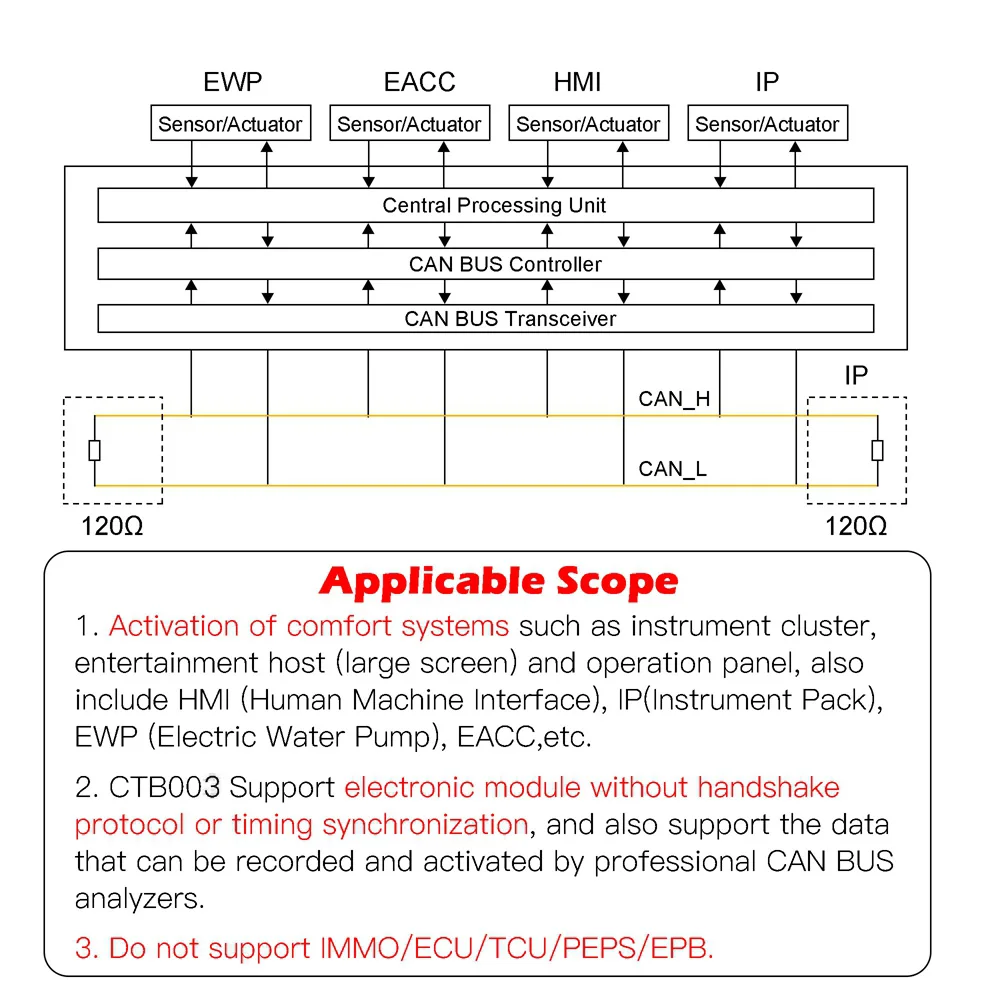
Activation of comfort systems such as instrument cluster, entertainment host (large screen), and operation panel. This also includes HMI (Human Machine Interface), IP (Instrument Pack), EPS (Electric Power Steering), EWP (Electric Water Pump), EACC (Electric Air Conditioning Compressor), etc.
CTB003 supports electronic modules without handshake protocol or timing synchronization, and also supports data that can be recorded and played by professional CAN analyzers. (Does not support IMMO)
CTB003 Support to import data from computer directly
Important Notes:
Do not support data storage on computers.
Cannot perform data analysis, and can only save the last recorded data in the MCU.
Due to differences in data for different vehicle models and modules, the recording speed and playback activation operation may vary.
Do not support IMMO.
Therefore, we hope you could write down the vehicle models and testing modules in the comment area after practical use to help other peers understand this product.
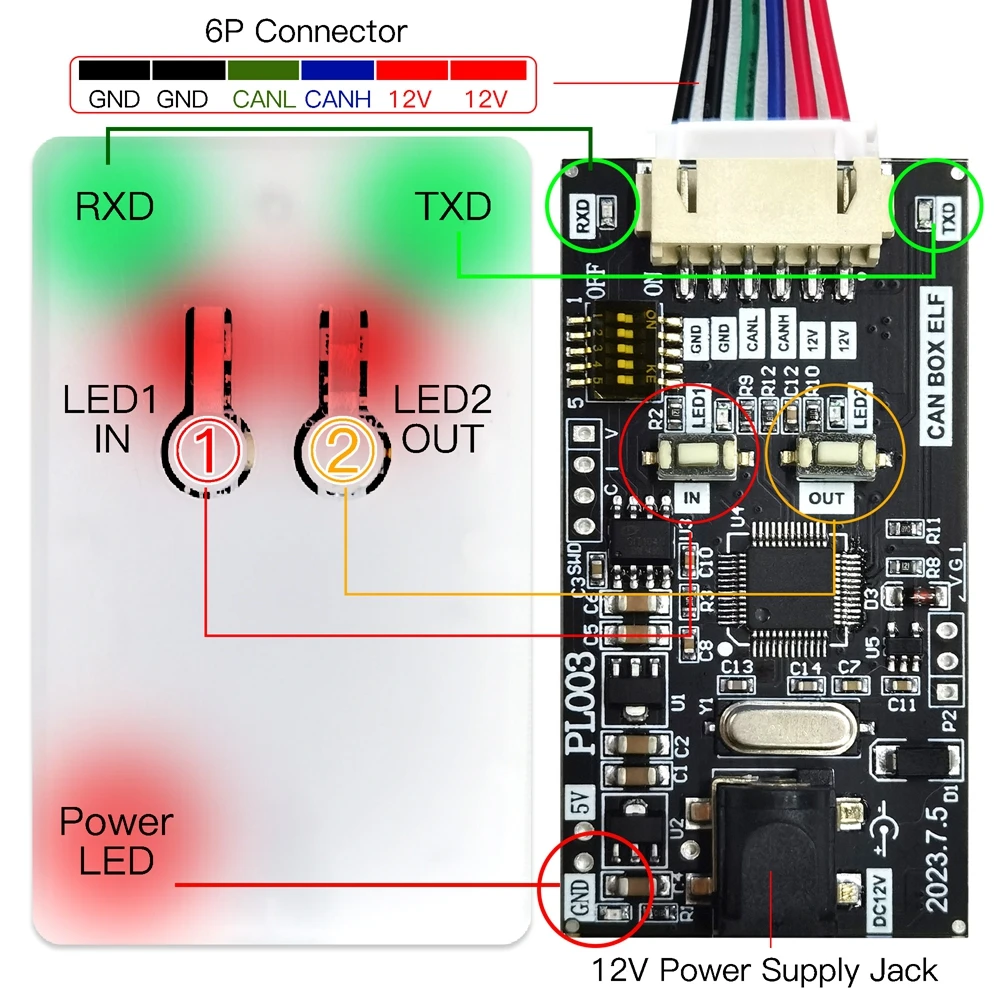
Outside & Inside Features:
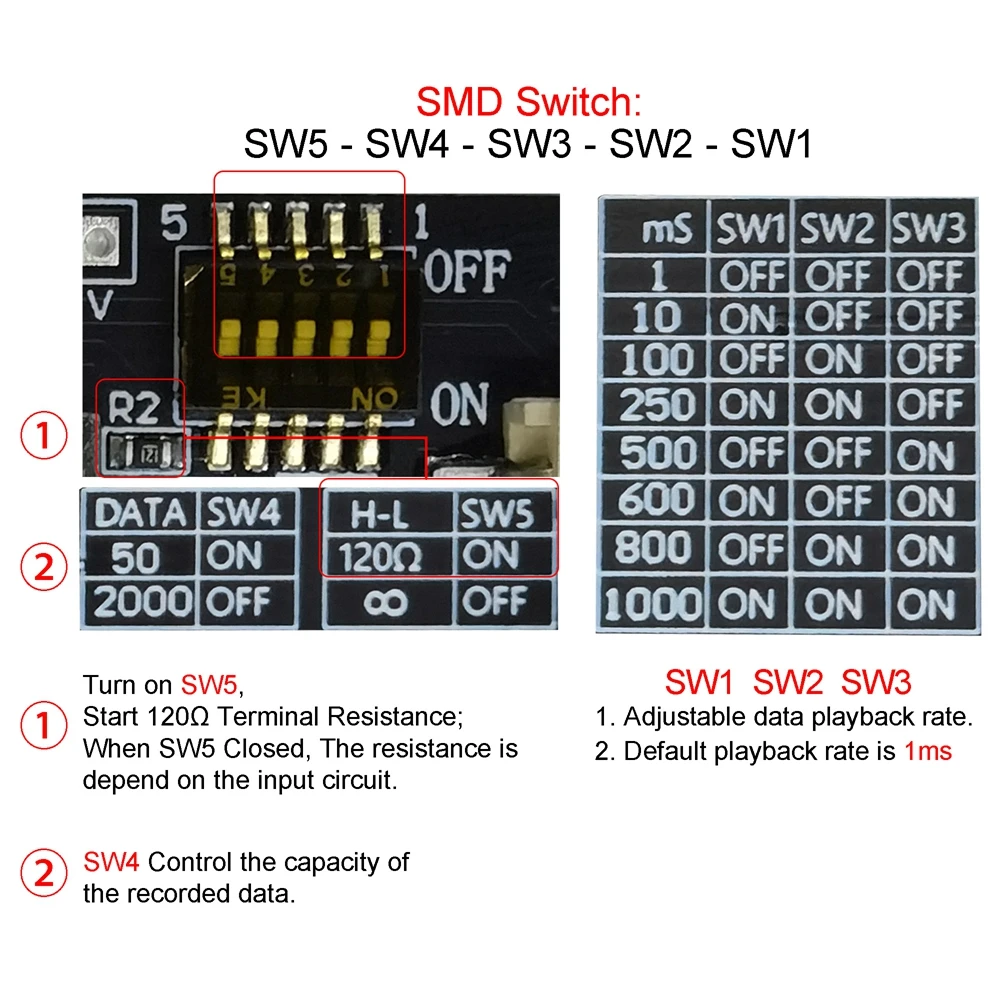
SMD Switch Function:
Turn on SW5 to start the 120 ohm Terminal Resistance.
SW1-SW3 control the data playback rate.
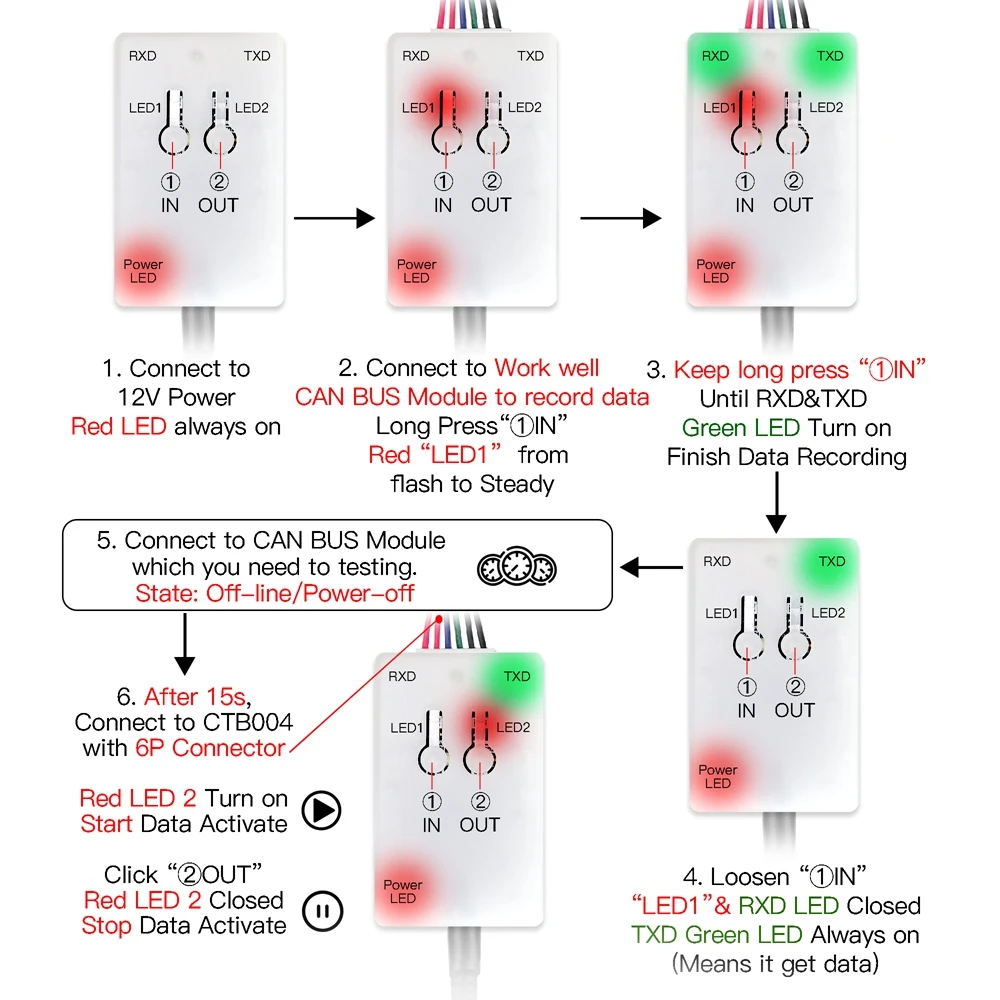
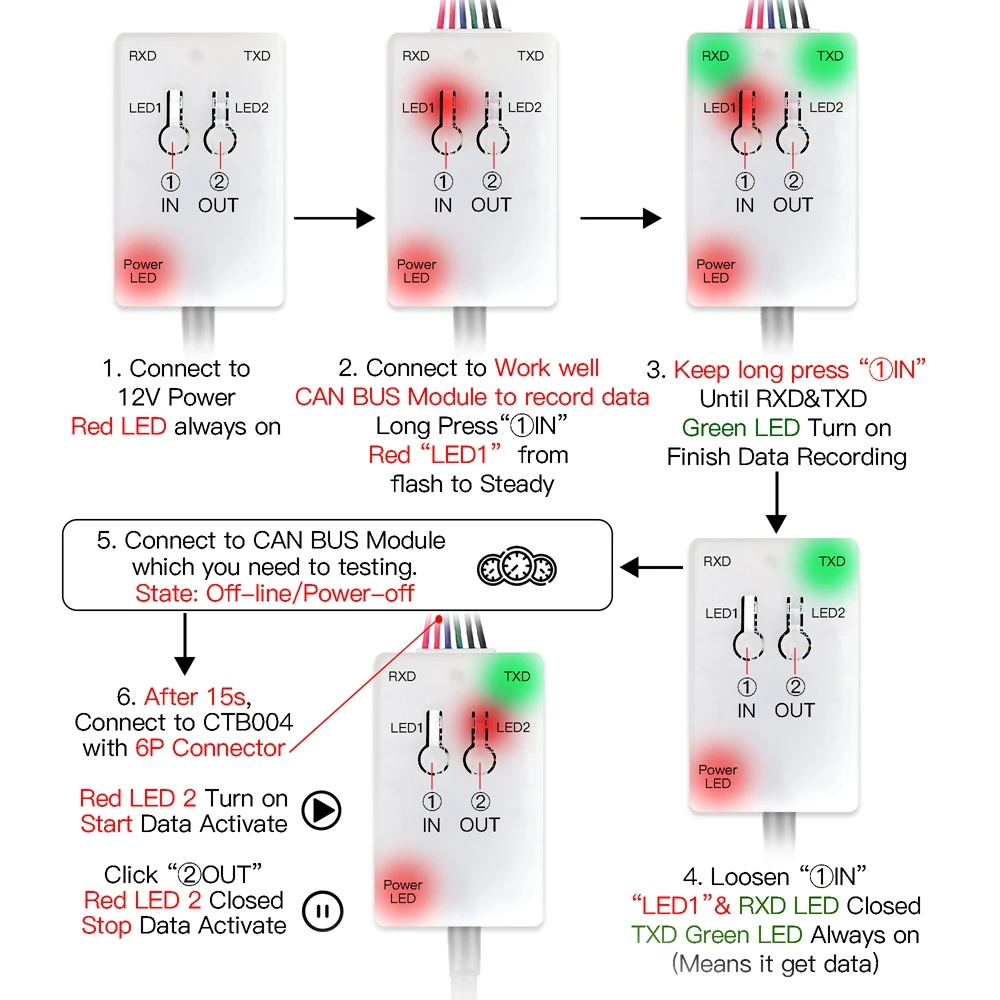
How to record Data and Test the module?
1
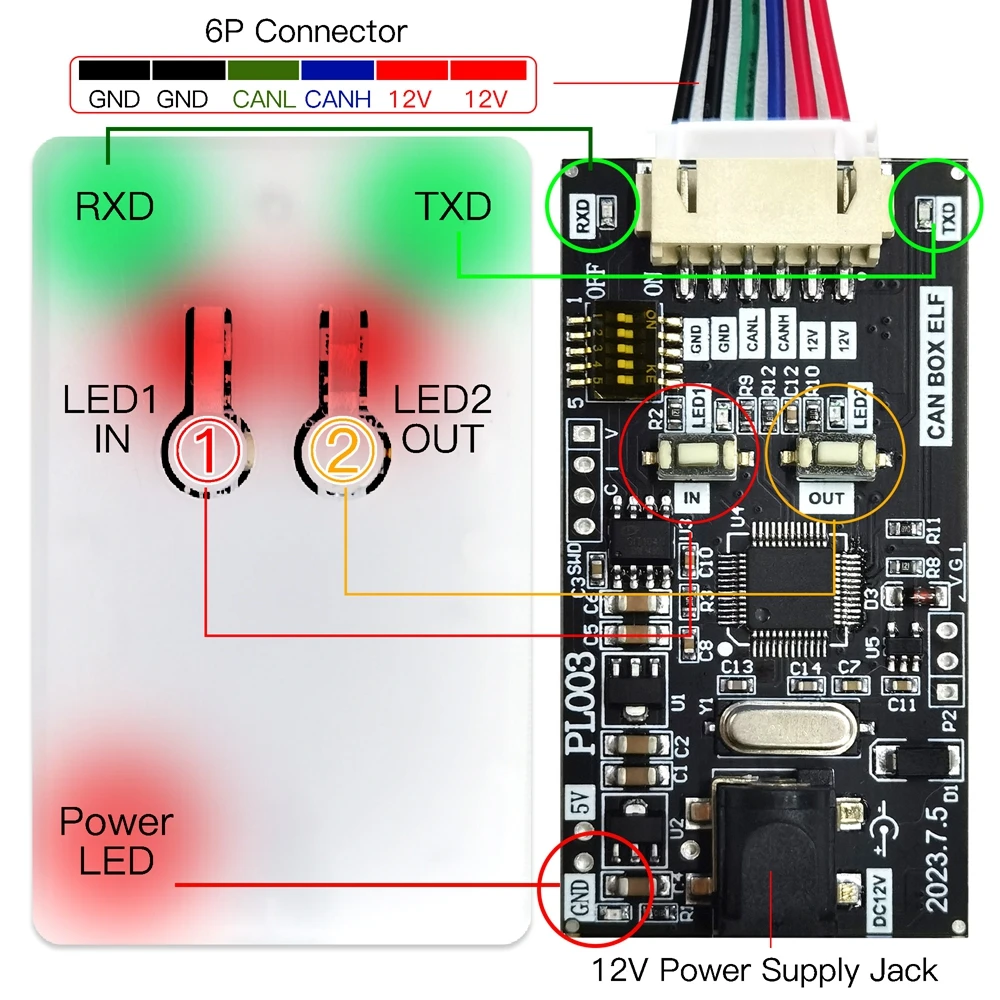
Connect to 12V power supply. The Power LED will turn on red and stay on.
2
Connect to a well-working CAN BUS Module to record data, or input data by computer. Long Press "IN" button; "LED 1" will turn on red, transitioning from flashing to steady.
4
Release the "IN" button. "LED 1" and RXD's light will turn off. TXD's green light will stay on (meaning CTB003 successfully holds the data).
5
Ensure the car module is offline/powered off for at least 15 seconds.
6
Use the 6P connector to connect the car module and CTB003. "LED 2" will turn red, and the data playback will begin (starting the module activation).
7
Click the "OUT" button to turn off "LED 2" and stop the data playback (stopping the module activation).
CTB003 Reusability: After the recording is completed and the power is cut off, the power-on box will automatically replay the last recorded data. If there is no automatic replay, please press the OUT button to turn it on.
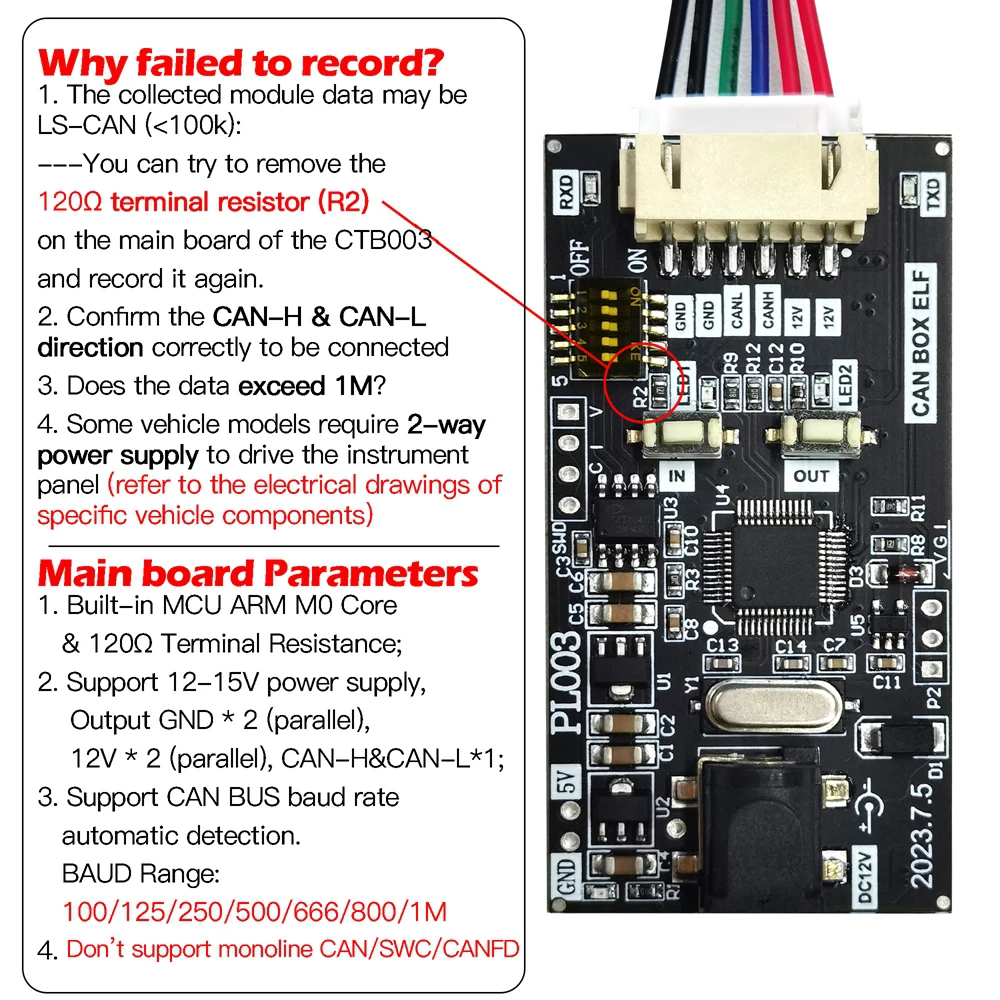
Reasons for recording failure:
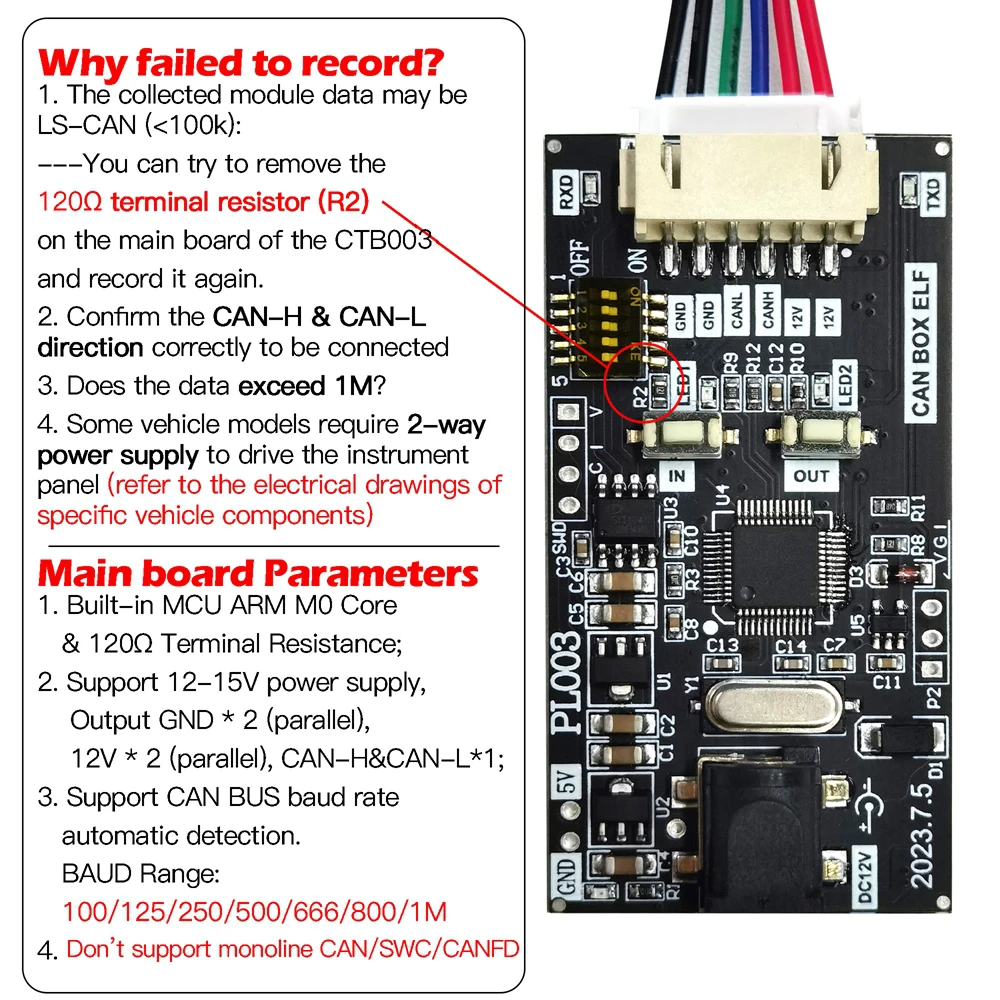
The collected module data may be LS-CAN (<100k). Recommendation: Try to remove the 120 ohm terminal resistor (R2) on the motherboard of the CTB003 and record it again.
Confirm if the CAN-H & CAN-L direction is correctly connected.
Verify if the data transfer rate exceeds 1M.
Some vehicle models require a 2-way power supply to drive the instrument panel (refer to the electrical drawings of specific vehicle components).
Main Board Configuration Parameters
Built-in MCU ARM M0 Core & 120Ω Terminal Resistance.
Supports CAN BUS baud rate automatic detection (BAUD Range: 100/125/250/500/666/800/1M).
Does not support single-line CAN / SWC BUS / CAN FD.
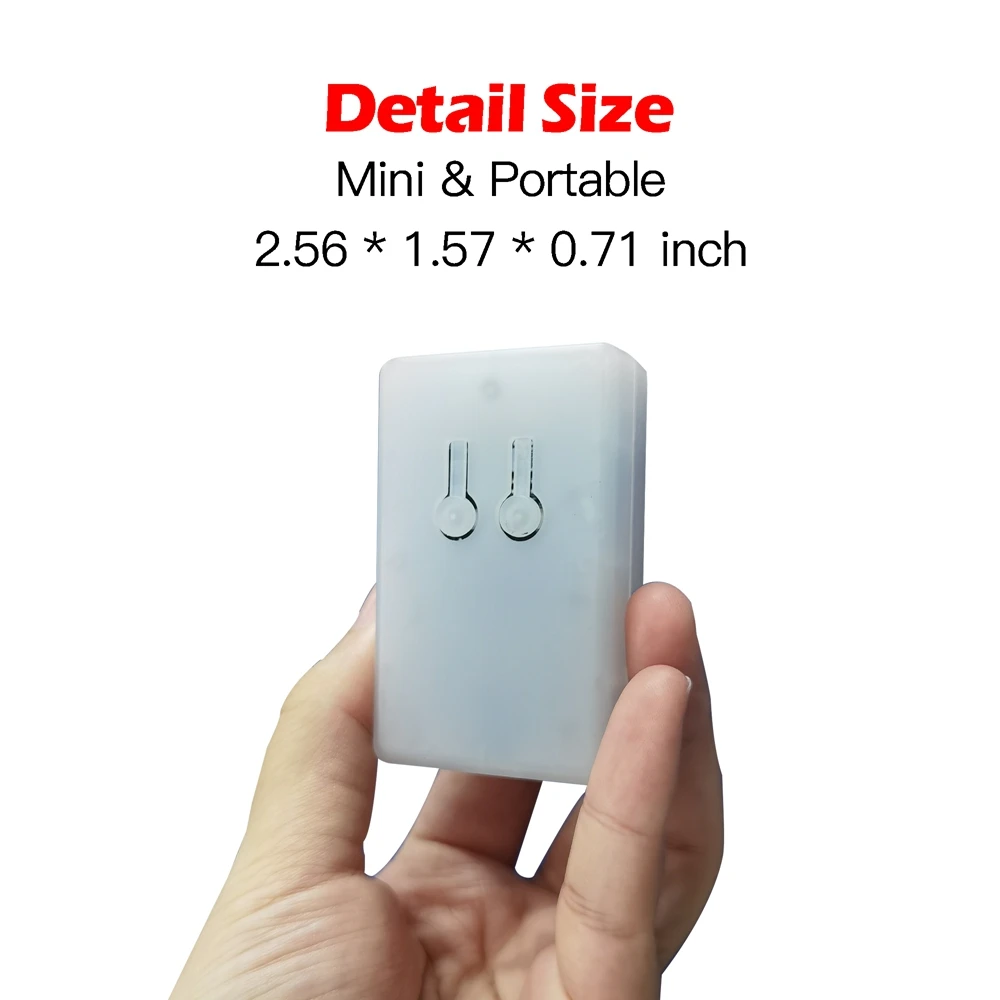
Small Size & Portable
1. In automotive electronic maintenance scenarios, activating the driver electronic module system online or offline (such as IP Instrument Pack, HMI Human Machine Interface, EPB Electrical Park Brake) usually requires specialized equipment such as CAN analyzers and oscilloscopes. This demands high technical expertise from maintenance personnel, and narrow workspace areas make it difficult to operate.
2. CANBOX ELF is suitable for a variety of vehicle models. With simple operation, one-click recording, and one-click playback, its small size makes it highly suitable for narrow car scenarios.
(Note: Other electronic modules such as anti-theft computers require handshake protocols, and timing matching cannot be supported)
Frequently Asked Questions (FAQ)
QDoes the CTB003 come with preloaded data?
No, the CTB003 does not contain any preloaded data. You must record active and correct CAN BUS data from a functioning vehicle electronic module yourself before using it to test or wake up another module.
QCan I connect the CTB003 to a computer to analyze data?
No, the CTB003 cannot be used to perform data analysis on a computer. It only acts as a recording and playback device that saves the last captured sequence within its MCU. However, you can import data to the CTB003 from a computer using a professional CAN BUS analyzer.
QWhat modules are compatible with this tool?
It is compatible with comfort and convenience systems such as instrument clusters (IP), entertainment screens (HMI), electric power steering (EPS), electric water pumps (EWP), and electric air conditioning compressors (EACC). It only supports electronic modules that do not require handshake protocols or timing synchronization.
QDoes CTB003 support IMMO (anti-theft) modules?
No, it does not support anti-theft systems or IMMO computers, as these modules require timing matching and complex security handshake protocols that cannot be replicated by simple data playback.
QWhat should I do if the data recording fails?
First, check if the module data rate is LS-CAN (<100k) and try removing the 120-ohm terminal resistor (R2) on the CTB003 motherboard. Second, confirm that the CAN-H and CAN-L wiring directions are correct, that the data does not exceed 1M, and check if the module requires a dual power supply setup to power up.
QHow can I protect my recorded data from being accidentally overwritten?
Once you have successfully recorded your module's data, you can physically remove the "IN" button from the board. This prevents accidental long presses that would otherwise overwrite the stored data. Short presses on the "IN" button will not affect your saved data.
 Manata Scanner