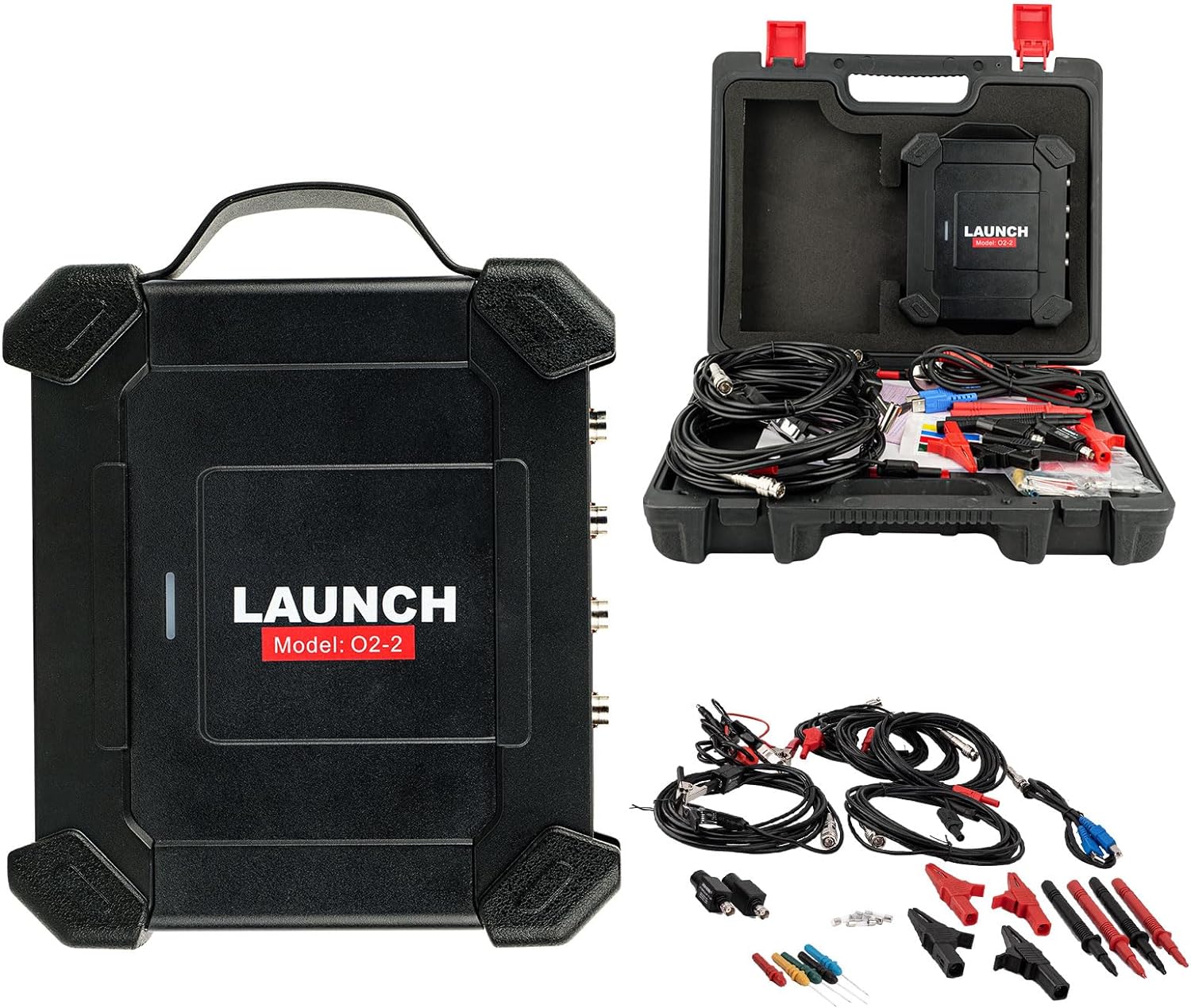
LAUNCH X431 O2-2 Scope Box Oscilloscope 4 Channels 100MHz USB DC Automotive Oscilloscopes Work With PRO3S+ V5.0/PAD V/ PAD VII

Product Description

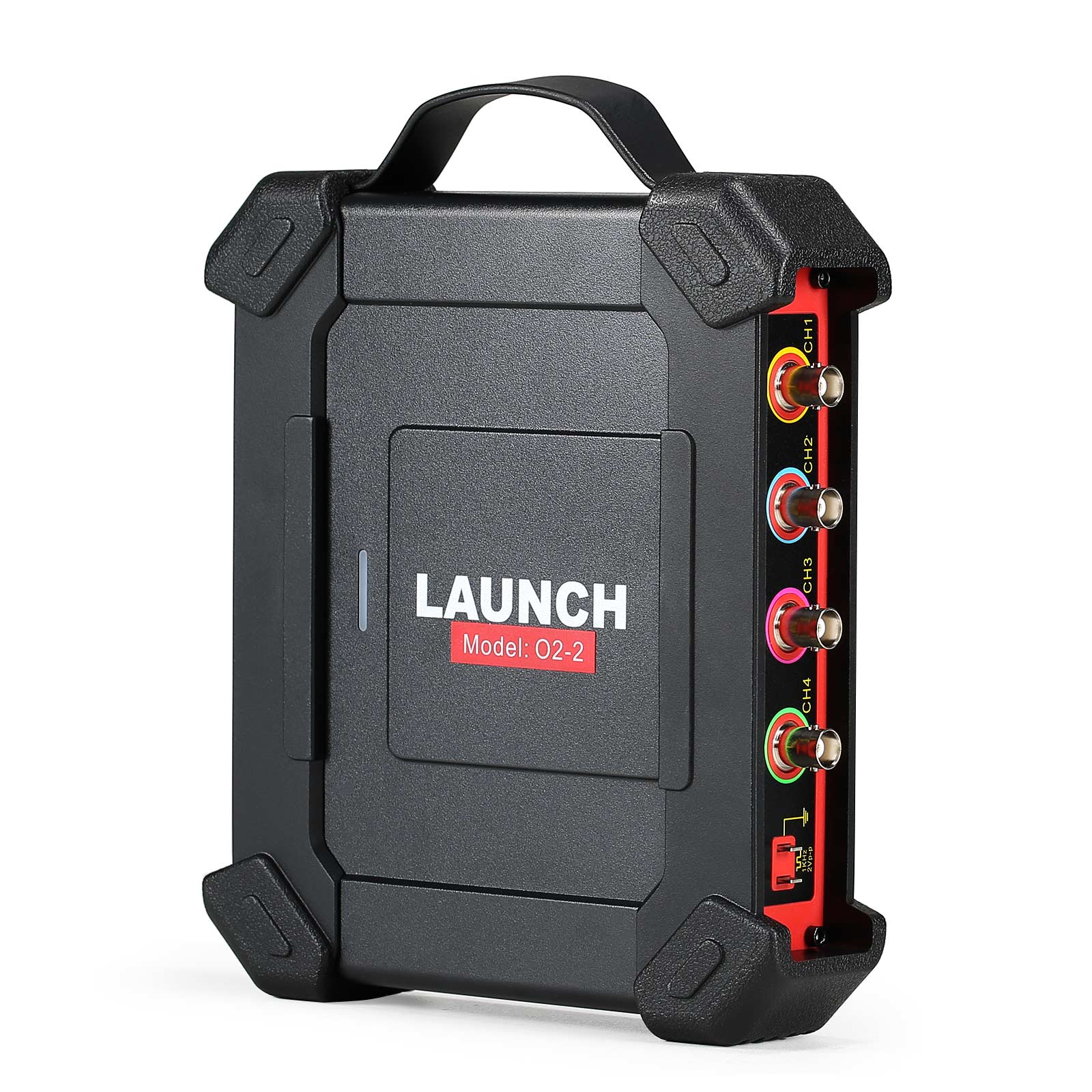
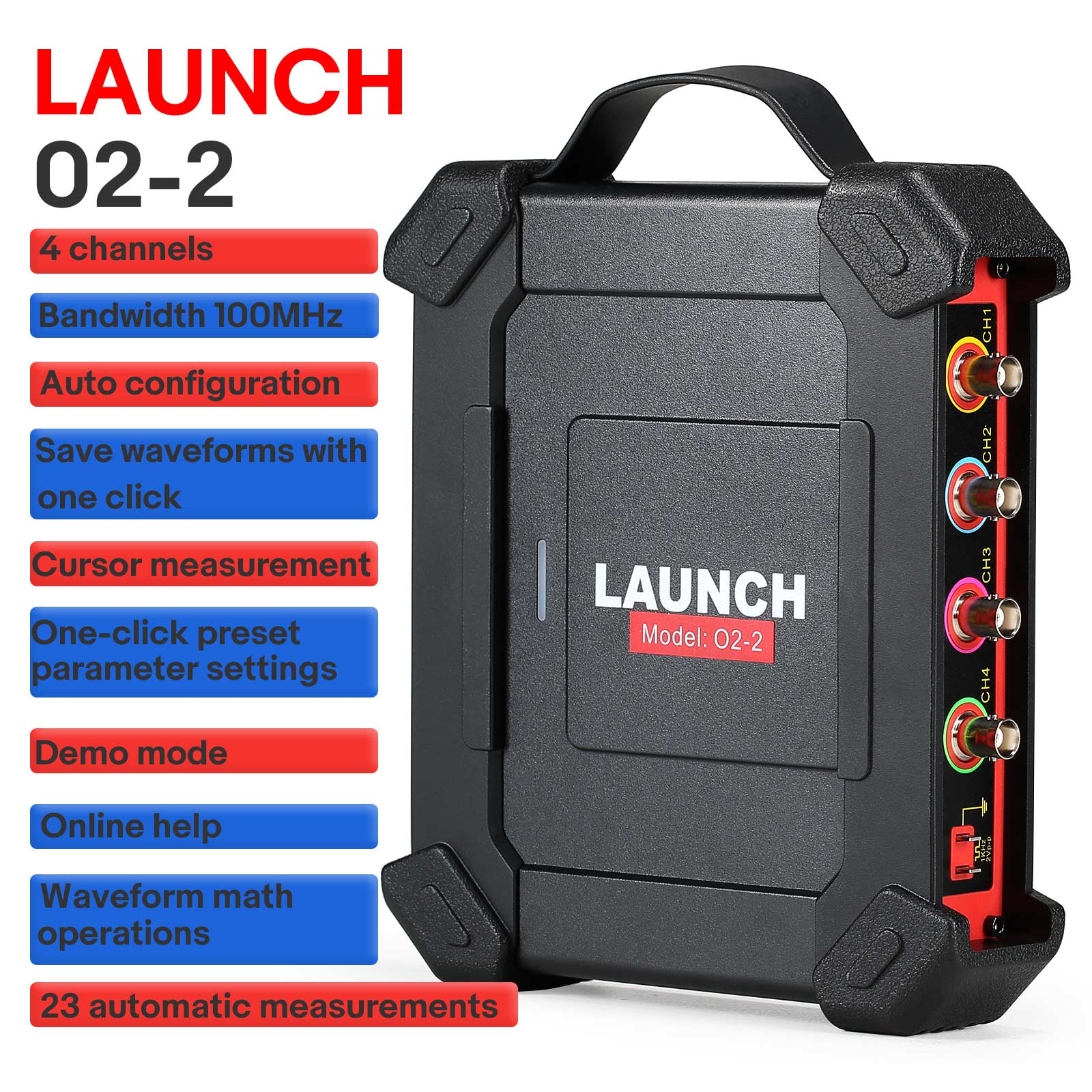
LAUNCH X431 O2-2 Scope Box Oscilloscope

4 Channels | 100MHz Bandwidth | USB & DC Automotive Diagnostic Tool

Featuring a new design and upgraded hardware, the LAUNCH O2-2 Scopebox is a versatile and easy-to-use add-on module that detects high-level faults on various electrical components, such as sensors, actuators, and circuits. By integrating with the X-431 series scan tools via the O2-2 application, it delivers accurate and conclusive diagnostic faults that enable technicians to expand their scan tool's functionality.

Integrate with X-431 series scan tools (such as X431 PRO ELITE, X431 Throttle, X431 Pad II AE, X431 Torque, X431 Turbo, X431 Pro3S+, X431 PAD V, X431 PAD VII, X431 IMMO Elite, X431 IMMO PLUS) through the O2-2 application for conclusive diagnostic results.
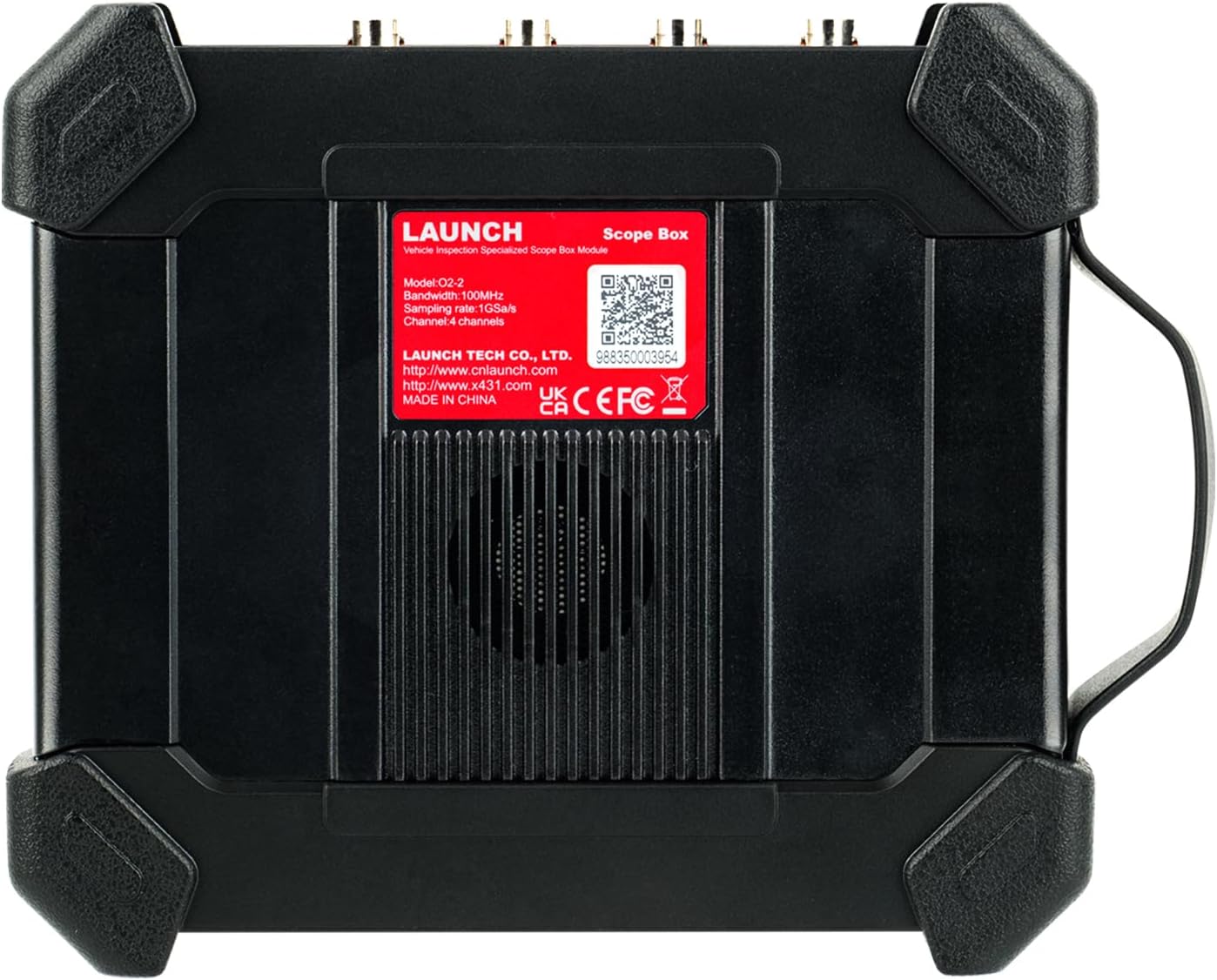
LAUNCH O2-2 Scope Box

Product Highlights

  • 4 Channels
  • 100MHz Bandwidth
  • Auto Configuration
  • One-Click Waveform Saving
  • Cursor Measurement
  • One-Click Preset Parameter Settings
  • Demo Mode Support
  • Online Help Integration
  • Waveform Math Operations
  • 23 Automatic Measurements

Key Features

  • ECU Troubleshooting: Expert diagnostics for electrical systems.
  • High-Res Waveform Capture: Features the ability to record and playback high-resolution waveform data for future analysis. One-key enable captures specific waveforms 70% faster.
  • Intuitive Interface: Access 23 variants of automatic measurements displayed on one screen for seamless switching.
  • Virtual Keyboard: Enter names and characters directly by clicking the virtual keyboard, streamlining operations by 90%.
  • Buffer Memory: Captures details with up to 50M buffer memory.
  • Zoom Controls: Easily zoom in or out to review precise waveform details.
  • Custom Configurations: Personal system settings can be saved as configuration files.
  • Self-Calibration: Optimizes the oscilloscope signal path for maximum measurement accuracy.
  • Math Operations: Support for addition, subtraction, multiplication, and FFT functions for advanced waveform analysis.
  • Comprehensive Tests: Multiple automotive tests including circuits, sensors, actuators, and ignition.
  • Multi-Language Interface: Supports multiple languages for global usability.
  • USB Sync: Sync and transfer data to external devices like laptops and tablets.

Main Functions

Vehicle Preset Project Tests: Supports circuits, sensors, actuators, ignition tests, communication tests, and combination tests. Presets parameters and specific connection methods for each test setup.

23 Automatic Measurements: View 23 settings on a single screen. Supports one-click clearing to eliminate tedious menu searching.

Quick Trigger Switching: Supports edge, pulse, and other triggers. Fast trigger source switching methods make oscilloscope configuration straightforward.

Waveform Preset Parameters: Save existing settings as preset parameters with one click. Load them instantly for similar tests later without repeating configurations.

Convenient Cursor Operation: Turn on horizontal and vertical cursors with a single click. Drag independently to track values, improving efficiency by over 80%.

O2-2 vs. O2-1 Comparison

Model O2-1 O2-2
Channel 4 4
Bandwidth 100MHz 100MHz
Rise Time ≤3.5ns (typical) ≤3.5ns
Max Sampling Rate 1Gbps (four channels) 1Gbps
Storage Depth 50M 10M
Compatibility Different resolutions require different APPs One APP compatible with multiple resolutions
Multi-Touch Gestures No Supports 2-point touch zooming
Demo Function No Yes
Firmware Upgrade Manual Upgrade Online Upgrade

How to Connect the Cables?

Connection setup steps (required for all application scenarios):

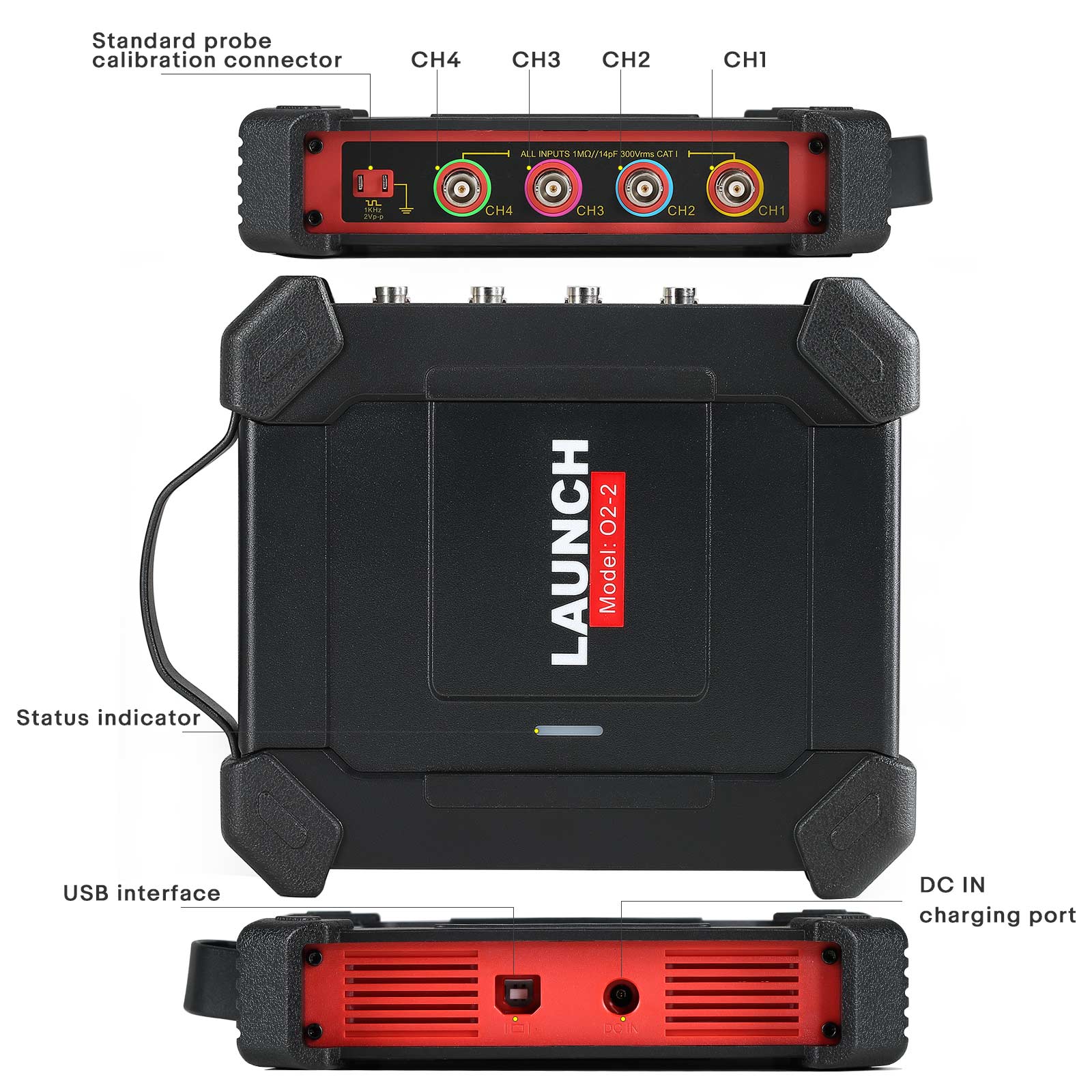
  1. Power supply setup: Connect the double-clip power cable to the power interface of the oscilloscope box, and connect the clips to the vehicle battery (red to positive, black to negative). *Note: PAD VII series tablets support direct USB power supply.
  2. Data Connection: Connect the Type B terminal of the USB cable to the oscilloscope, and the other end to the diagnostic device's USB interface.

Specifications

Parameter Specification Details
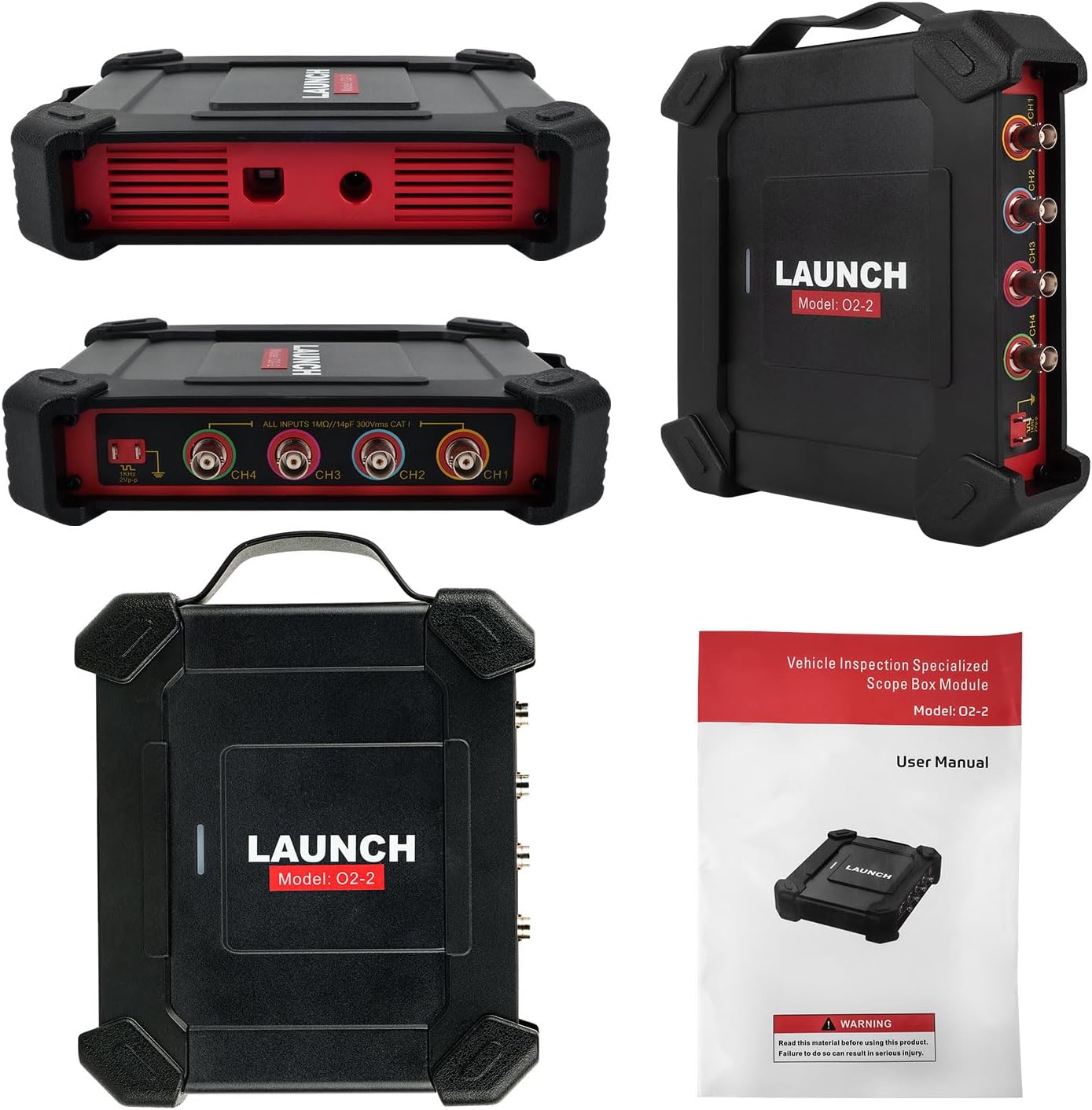
Channels 4
Bandwidth 100MHz
Accuracy ±3%
Input Impedance 1MΩ ±1.5%
Input Type Single-ended, BNC Connector
Input Coupling DC, AC
Overload Protection ±200V on single input
Buffer Memory 10M (for 4 Channels)
Data Exchange USB

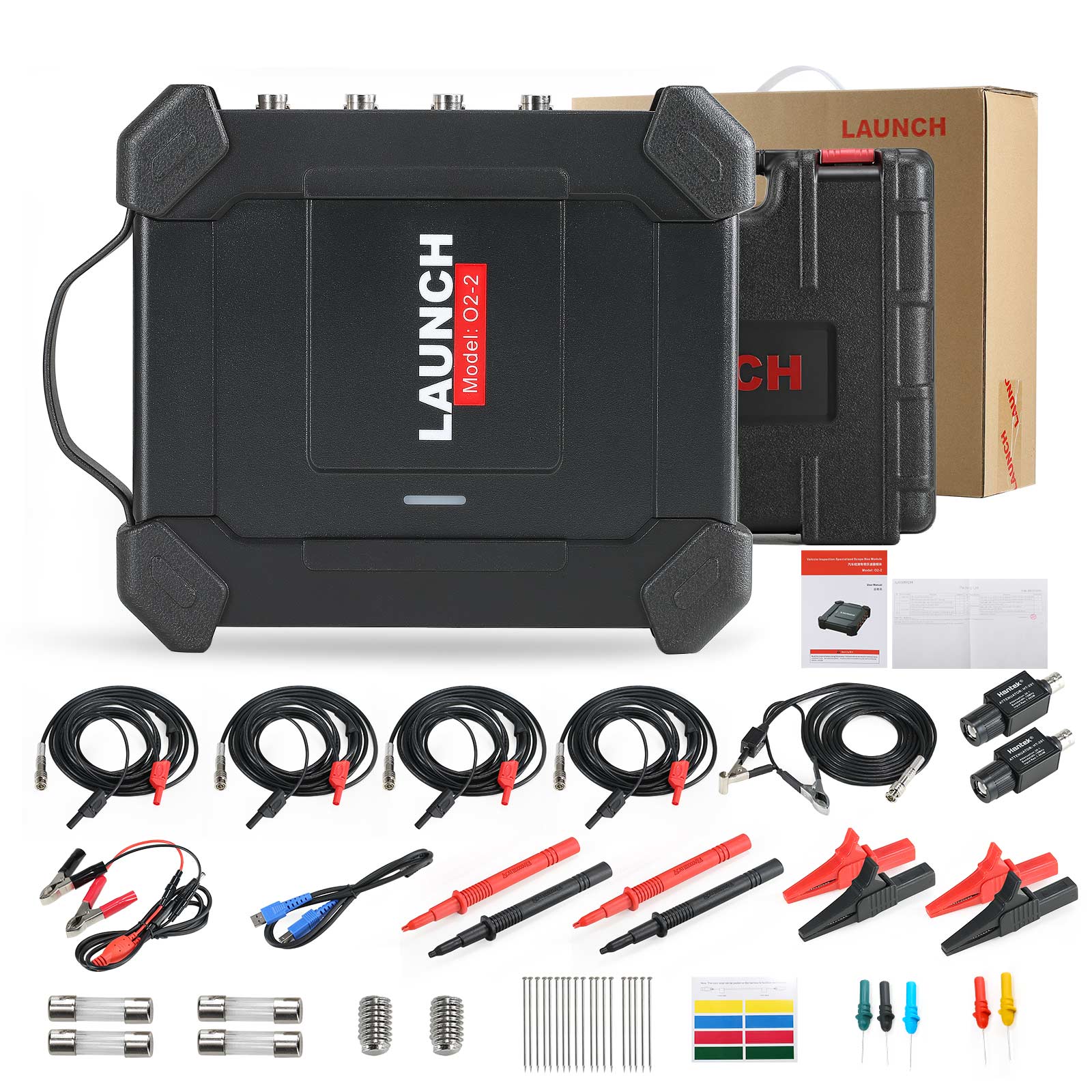
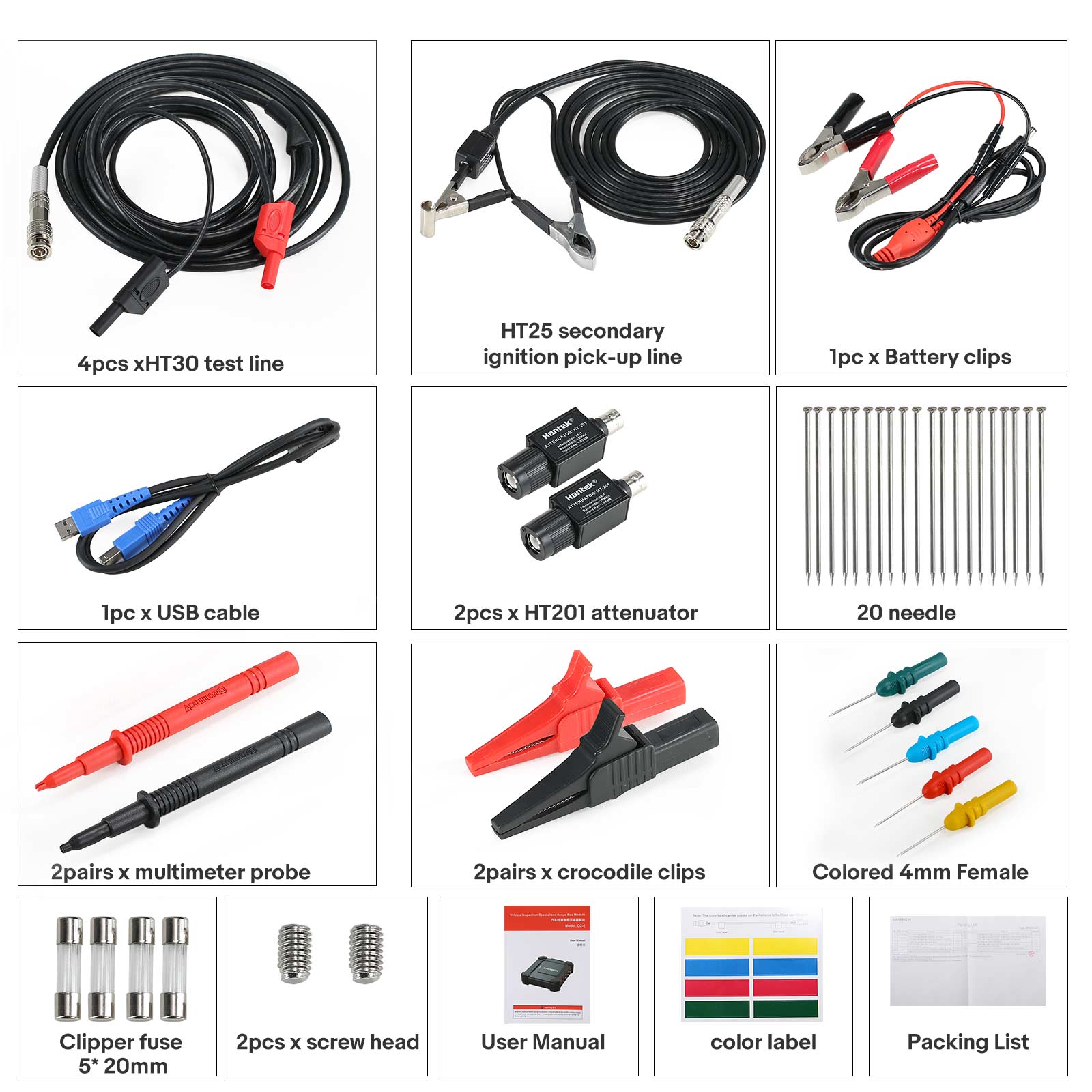
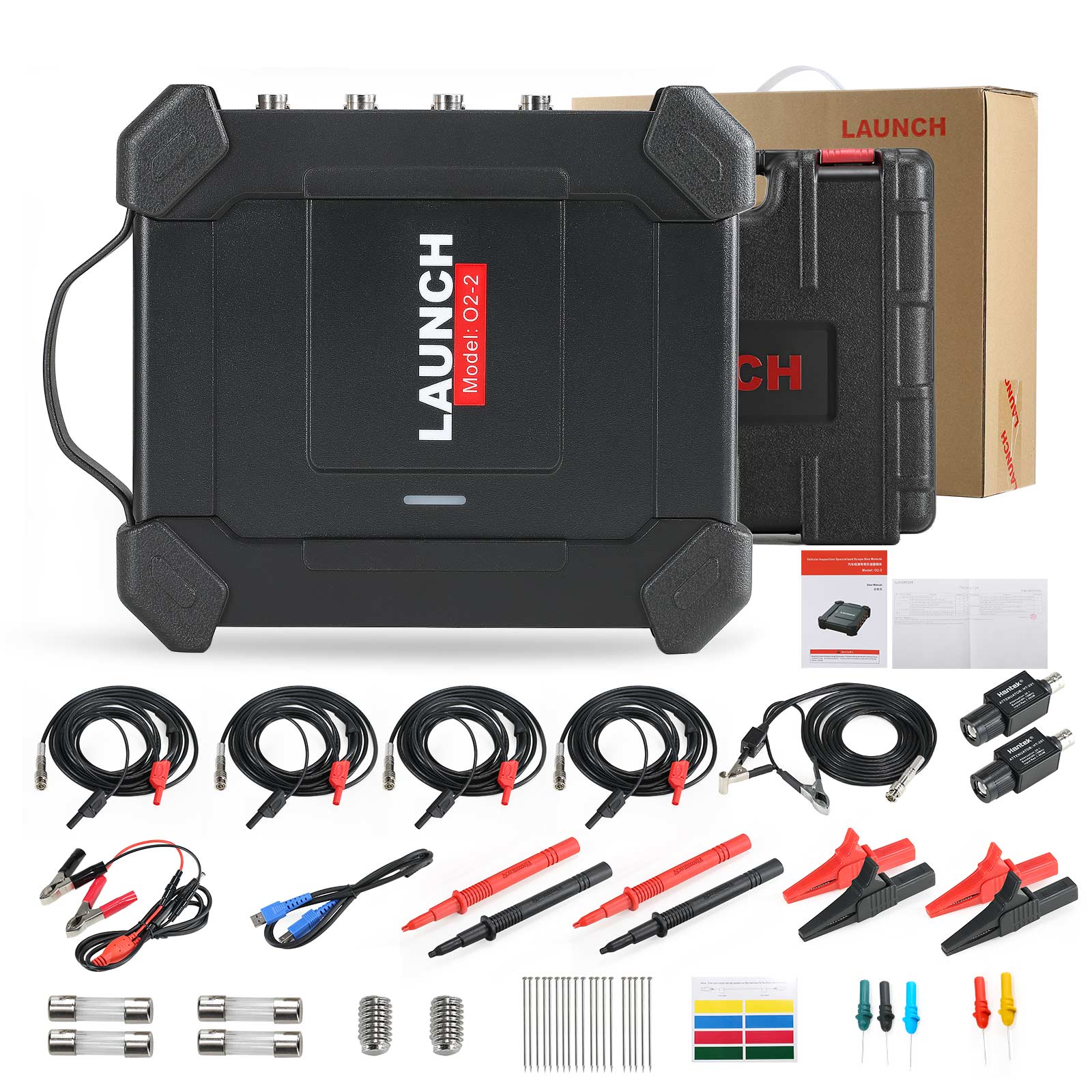
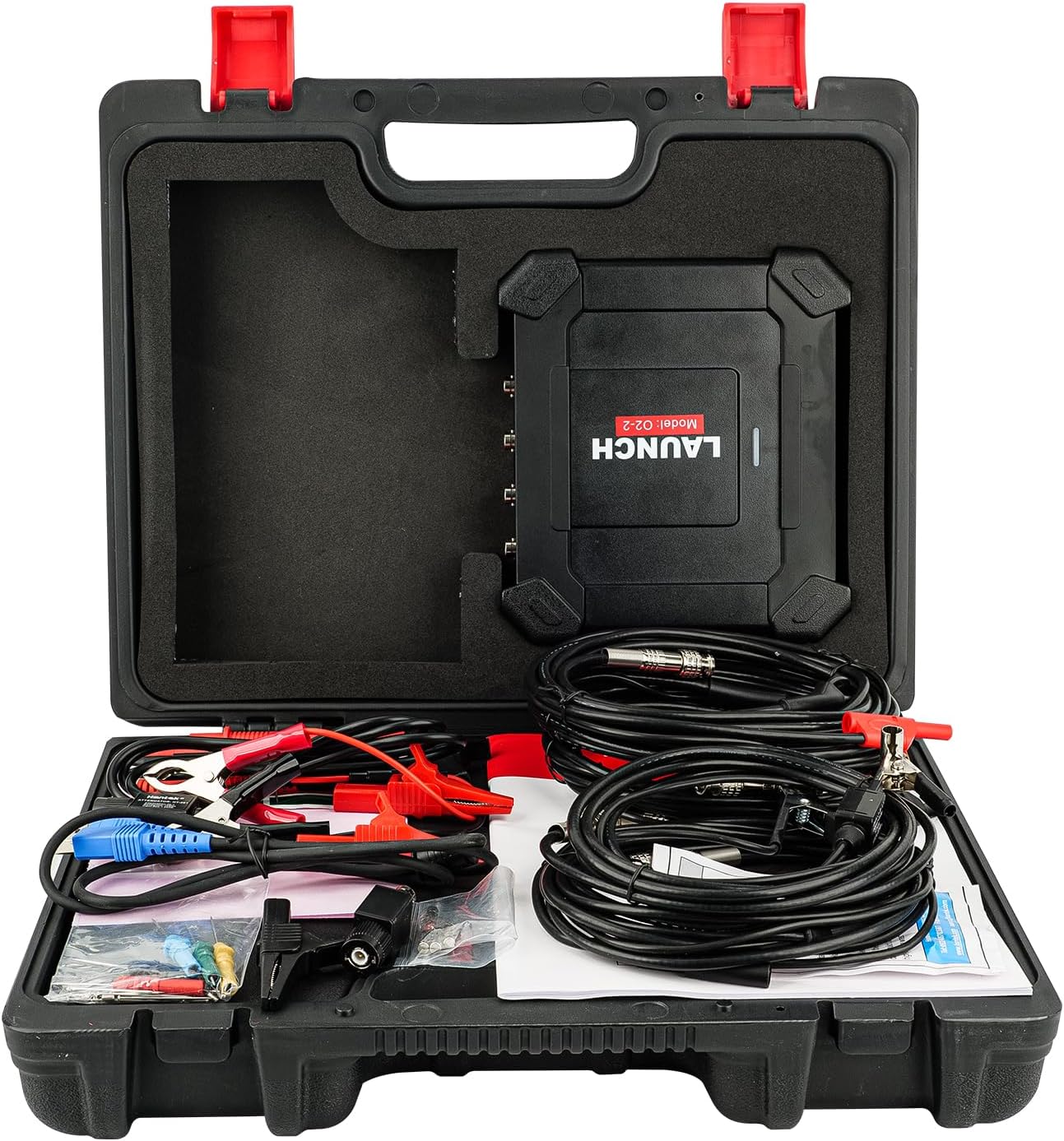
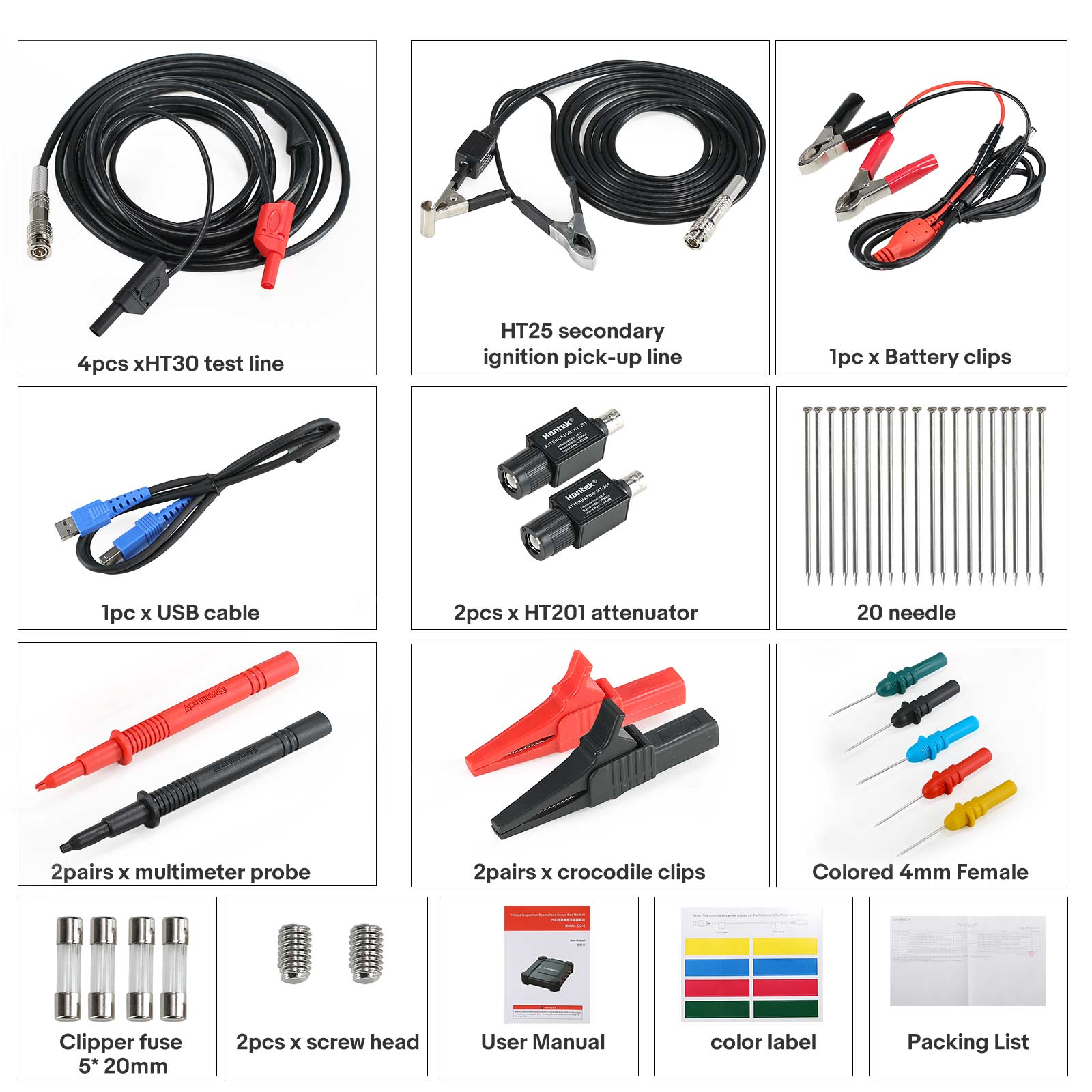
Package List

  • 1pc x Launch O2-2 Main Unit
  • 1pc x BNC to 4mm Test Cable
  • 1pc x Secondary Ignition Pickup Cable
  • 1pc x USB Cable
  • 1pc x 20:1 Attenuator
  • 1pc x Multimeter Probe
  • 1pc x Battery Clips
  • 1pc x Piercing Probe Set
  • 2pcs x Crocodile Clips
  • 1pc x Independent Ignition Extension Cable
  • 1pc x COP Independent Ignition Probe
Packing List Page
Oscilloscope Accessory 1
Oscilloscope Accessory 2
Oscilloscope Accessory 3
Oscilloscope Accessory 4

Production & Facilities Overview

Facility Image 1
Facility Image 2
Facility Image 3

Payment & Shipping

Payment and Shipping info
Product Support Info

Machinery Specifications

PET Blowing Machine

Semi-Automatic PET Bottle Blowing Machine Bottle Making Machine Bottle Moulding Machine is suitable for producing PET plastic containers and bottles in all shapes.
Frequently Asked Questions (FAQ)

Which scanners are compatible with the LAUNCH O2-2 Scope Box?
The O2-2 Scope Box integrates with X-431 series scan tools, including the X431 PRO ELITE, X431 Throttle, X431 Pad II AE, X431 Torque, X431 Turbo, X431 Pro3S+, X431 PAD V, X431 PAD VII, X431 IMMO Elite, and X431 IMMO PLUS.
How many channels does the LAUNCH O2-2 Scope Box support?
The Scope Box features 4 channels with a bandwidth of 100MHz to capture and analyze complex electronic signals.
How do you power the O2-2 Scope Box during diagnostic testing?
You can power the box using the double-clip power cable connected to the vehicle battery (red to positive, black to negative). Additionally, the PAD VII series tablets support direct power supply through the USB port.
Can I save waveform configurations for future diagnostics?
Yes. You can save your configurations and parameters as preset waveform files with a single click, allowing you to load them directly for similar tests without repeating the configuration process.
Does the LAUNCH O2-2 Scope Box support multi-touch screen operations?
Yes, it supports 2-point touch operations. You can expand, zoom in, or zoom out of the waveforms both vertically and horizontally using touch gestures.
What types of automotive system tests can I perform with the O2-2?
The device supports various preset test setups including automotive circuits, sensors, actuators, ignition tests, communication tests, and combinations.

Related Products