Home >
Vehicle ECU Programming Equipment >
High Quality IPROG Pro ECU Key Programmer Iprog+ V87 Eeprom IMMO Car Radio Air-bag Reset Dashboard Kilometer Carprog
1 / 5
High Quality IPROG Pro ECU Key Programmer Iprog+ V87 Eeprom IMMO Car Radio Air-bag Reset Dashboard Kilometer Carprog
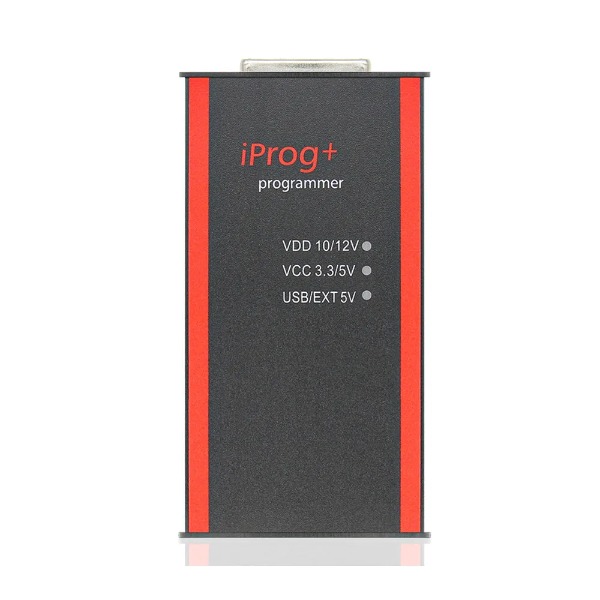
High Quality IPROG Pro ECU Key Programmer Iprog+ v87 Eeprom IMMO Car Radio Air-bag Reset Dashboard Kilometer
Purchase Notes (Latest Version)
PCB Clean and No Glue
Software can change Serial Number (depends on operation skill)
Important Power & Driver Warnings
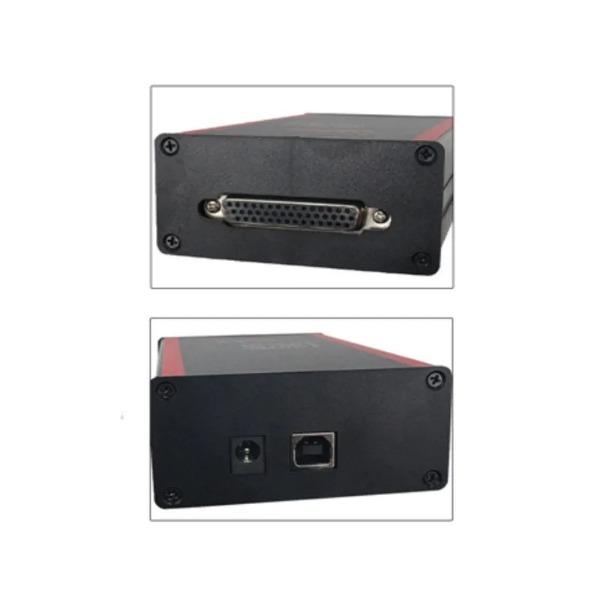
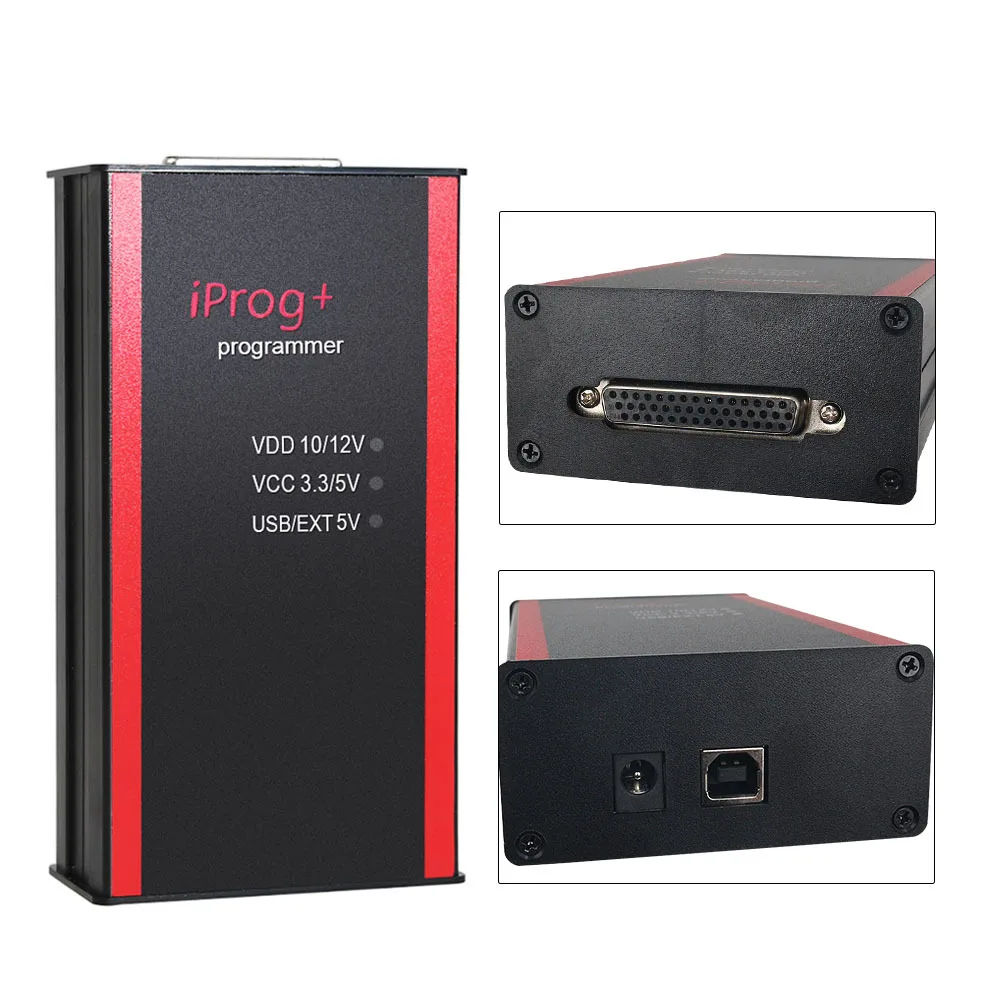
iPROG+ can only be connected to the computer's USB port (5V). DO NOT allow external 12V power supply.
It is easy to burn out when connected to an external 12V power supply. (There is no 12V power supply in the package, so please do not use 12V. Otherwise, customers are responsible for damages).
If the driver is installed but the computer shows "Unknown Device" in the device manager, it means the driver cannot work. Please uninstall and re-install the driver again and try a different USB port.
Language Support: Full Russian + Half English (Not Full English). Please note that some software segments will display in Russian.
Difference between iProg+ and iProg+ Plus
Hardware: Different PCB program design.
Software Versions: iProg+ uses V86; iProg+ Plus uses V777.
MB IR Adapter: The iProg+ MB IR adapter does not have an LED display. In contrast, the iProg+ Plus MB IR adapter features an on-board LED display and supports both Reading and Writing.
Product Description
Highly Capable Tool: Iprog+ Programmer supports IMMO + Mileage Correction till the year 2019. It offers performance that stands out in comparison to Carprog Full.
Key Capabilities Covered: Airbag, carradio, DPF off, ECU, IMMO KEY, MIL to KM, PINABS, PINCODE SMATRA3, PINCODE SENSOR SPEED LIMIT, ODO Adjust, EEPROM, MCU (Atmel, Fujitsu, Microchip, Motorola, Motorola912EN, NECV850), BLR, CAN, CRC_Cript, ibutton, sd_unlocker, and self-testing.
Supported Operating Systems
Designed to work seamlessly on the following Windows operating system versions:
Windows XPWindows VistaWindows 7Windows 8
Main Function List
Odometers & Mileage
Works with odometers on OBDII connector (Honda specific)
Works with table-based odometers through adapters
Transfer readings from miles to km
Keys & Immobilizers
Work with keys (IMMO, Transponders), copying, preparation, unlocking
Work with IMMO-Key Auto dumps
Write a key by IMMO dump
Airbag & Diagnostics
Work with the airbag computer to delete crash data
Read and erase DTC codes
Tested adapter performance for all units
ECU & Chip Programming
Read/write processors used in automotive applications
Removing the particulate filter (DPF off) in the dump
Realign PIN code from dump (certain brands)
Iprog+ Programmer Software Display Functions
1. Airbag
Read and erase crash records on selected cars
Read and erase Diagnostic Trouble Codes (DTC)
CFG Repair
2. Dashboard
Read current mileage (km)
Write new mileage values
3. Car Radio & ECU
Car Radio: Read/erase info, reset lock counter
ECU: Immo OFF, DPF off functions
4. Eeprom & Mcu
Read, write, and erase EEPROM data
Support chips including Atmel, Fujitsu, Motorola, and NEC v850
5. Immo & Special functions
Program and copy chips for cars and trucks
Toyota Smart Keys: Reset key and prepare
Convert miles to km, obtain PIN code from dump
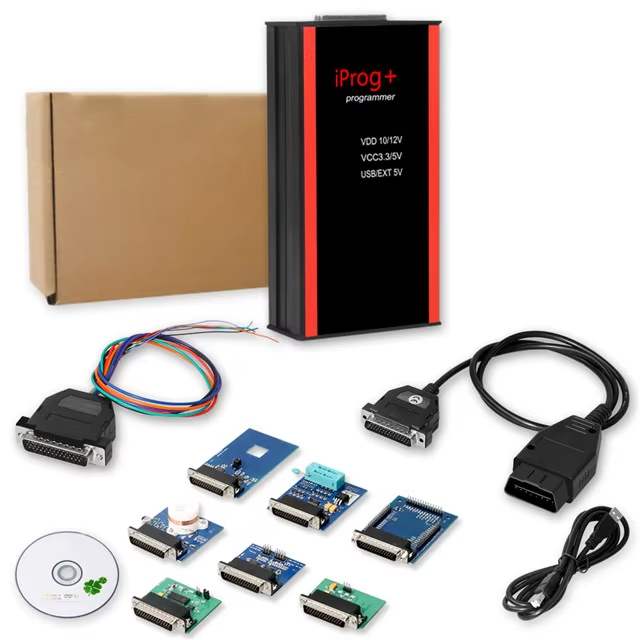
6. Package Inclusions
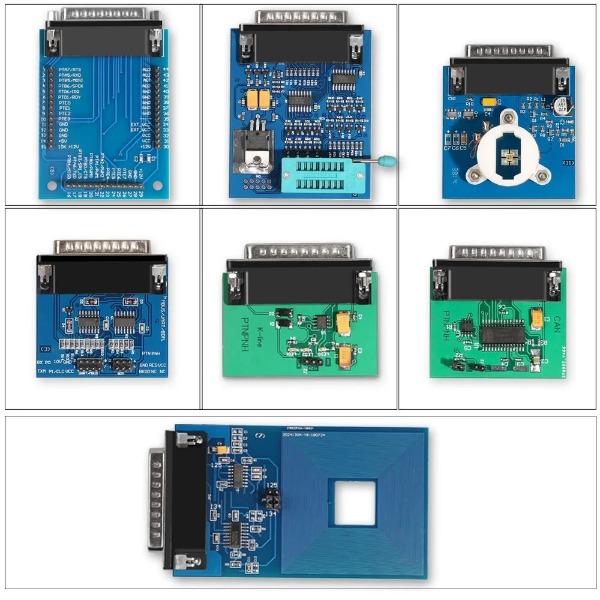
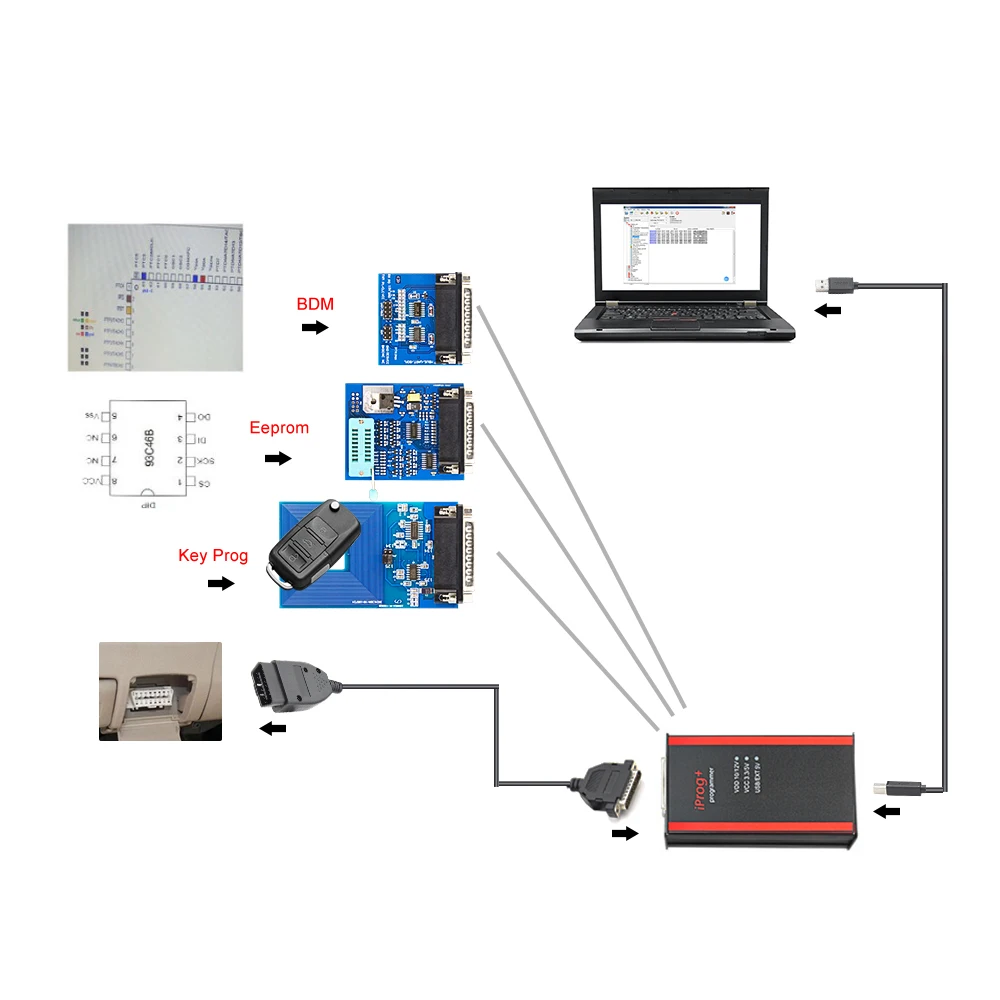
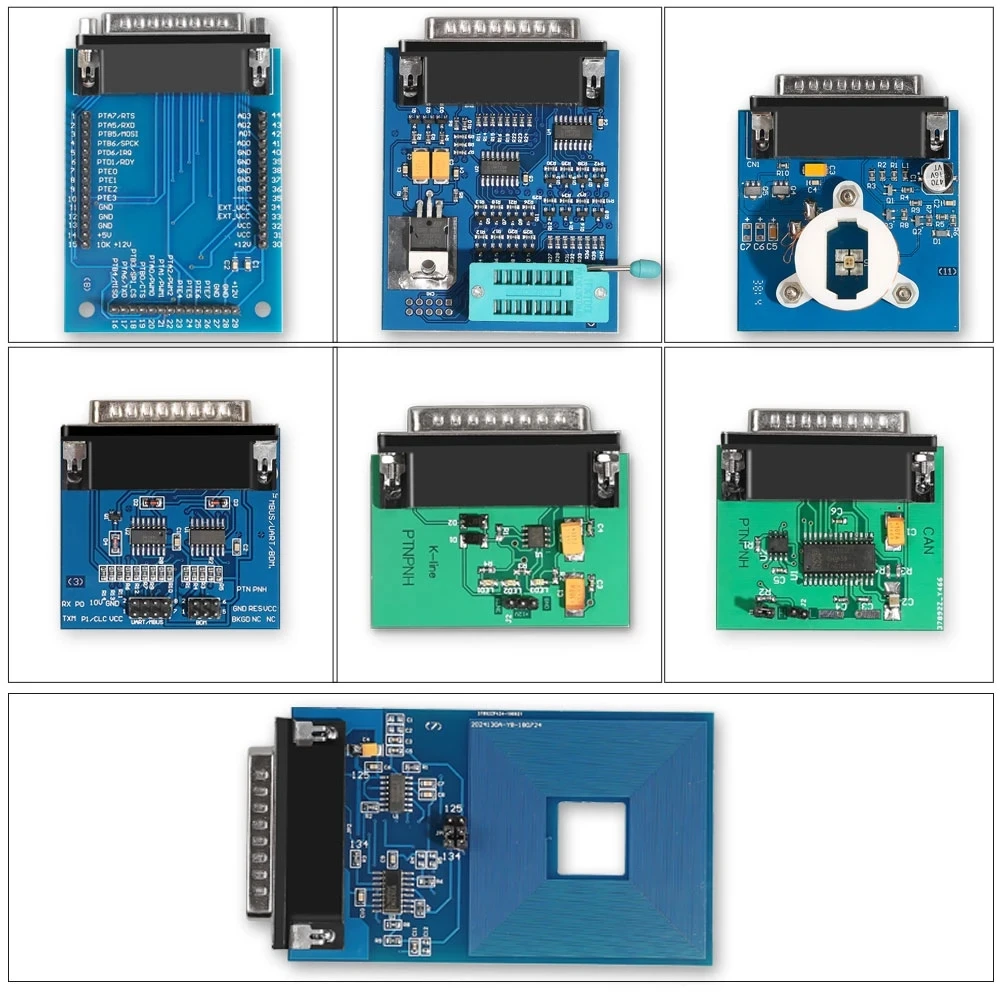
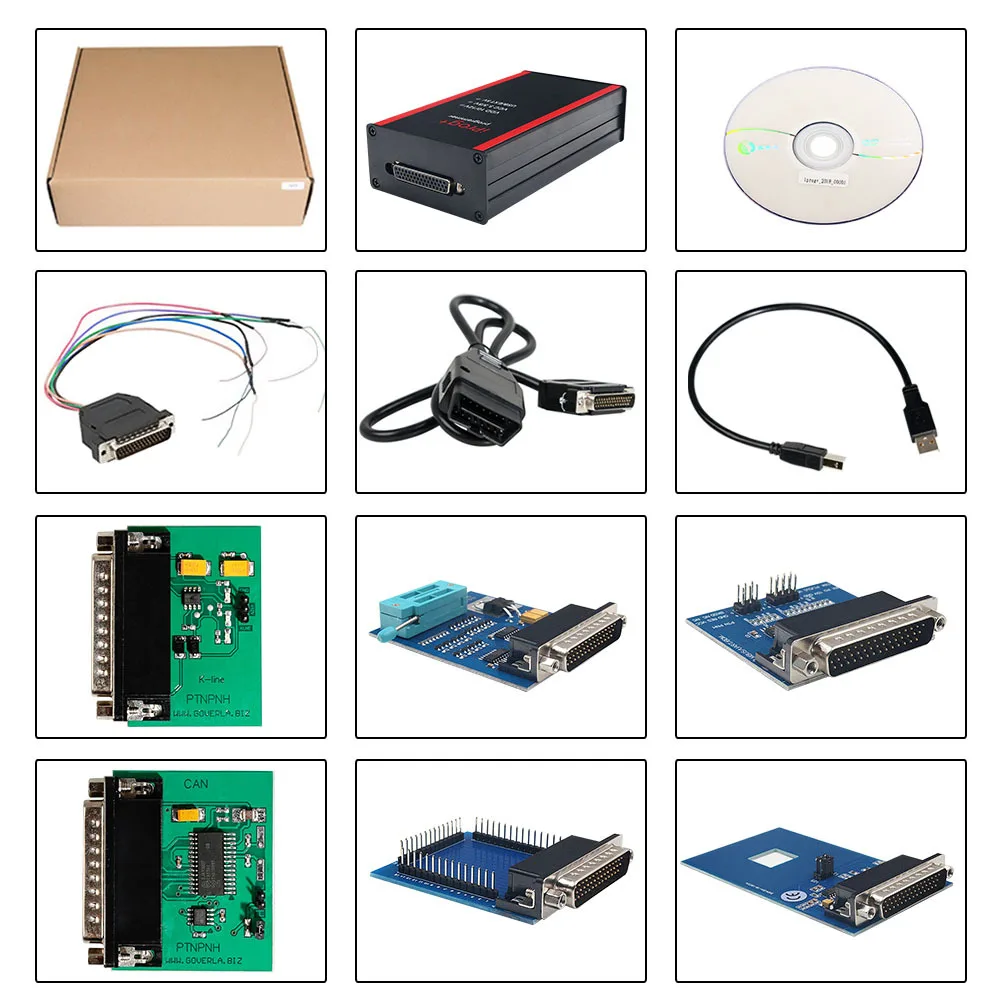
All required adapters and wiring configuration as shown in the selection image.
Product Gallery
Frequently Asked Questions (FAQ)
Q
Can I power the IPROG Pro with a 12V external power source?
No, the IPROG+ must only be powered via a 5V connection through the computer's USB port. Connecting it to a 12V external power supply will burn out the unit, which is not covered under warranty.
Q
What operating systems support the Iprog+ software?
The software is designed to work with the Windows operating system family, specifically supporting Windows XP, Windows Vista, Windows 7, and Windows 8.
Q
What is the difference between iProg+ and iProg+ Plus?
The main differences lie in the hardware PCB program and software version (iProg+ uses V86, while iProg+ Plus uses V777). Additionally, the MB IR adapter for the Plus version features an on-board LED display and supports both reading and writing functions.
Q
What languages are supported by the software?
The software interface supports Full Russian and half English. Some of the system functions and options will only show in Russian text.
Q
What should I do if my computer fails to recognize the device?
If the device manager displays "Unknown Device" after installation, the driver has not loaded correctly. Please uninstall the driver, re-install it, and connect the programmer using a different USB port.
 Manata Scanner



![[Global/EU Version]LAUNCH CRP919X BT Car Diagnostic Tool DBScar VII VCI Auto OBD OBD2 Scanner Active Test ECU Coding CANFD DOIP](https://site.cdnfile.io/2677997c3601a5798015930e52783c2a300_300.webp)