Top 10 Reasons Why Your Scanner Cannot Communicate With ECU

Time:2026-10-26 Author:Isabella
0%

Why can’t my vehicle diagnostic tool communicate with the ECU? This question often begins with a blank screen, a failed connection, or a scan tool reporting “no communication” beside a silent dashboard. The cause may be simple, such as a blown diagnostic fuse. It may also involve low battery voltage, damaged CAN wiring, an incorrect vehicle profile, or a gateway module blocking access.

J.D. Power’s 2024 U.S. Initial Quality Study recorded 195 problems per 100 vehicles. Infotainment and connectivity remained among the most troublesome areas. That finding matters because modern diagnostic communication depends on several linked networks, not only the OBD connector. SAE J1979-2 also defines standardized diagnostic communication requirements, yet real-world vehicle architectures can differ sharply between models and software versions. Standards help. They do not remove practical uncertainty.

Experienced diagnostic trainer Paul Danner has repeatedly emphasized, “A trouble code is not a diagnosis.” That warning applies here. A communication fault is a symptom, not a confirmed failed ECU. A loose ground can imitate a dead module. A weak battery can create misleading network errors. One overlooked fuse can waste an hour.

This guide examines the top ten reasons why your scanner cannot communicate with the ECU. It considers power supply, CAN-bus resistance, connector damage, immobilizer gateways, software compatibility, and technician testing habits. The process is not always clean. Sometimes the first assumption is wrong. That is worth admitting. A reliable diagnosis requires measured voltage, verified wiring, correct vehicle data, and careful confirmation before replacing expensive control modules.
Top 10 Reasons Why Your Scanner Cannot Communicate With ECU

Understanding Scanner–ECU Communication and Its Role

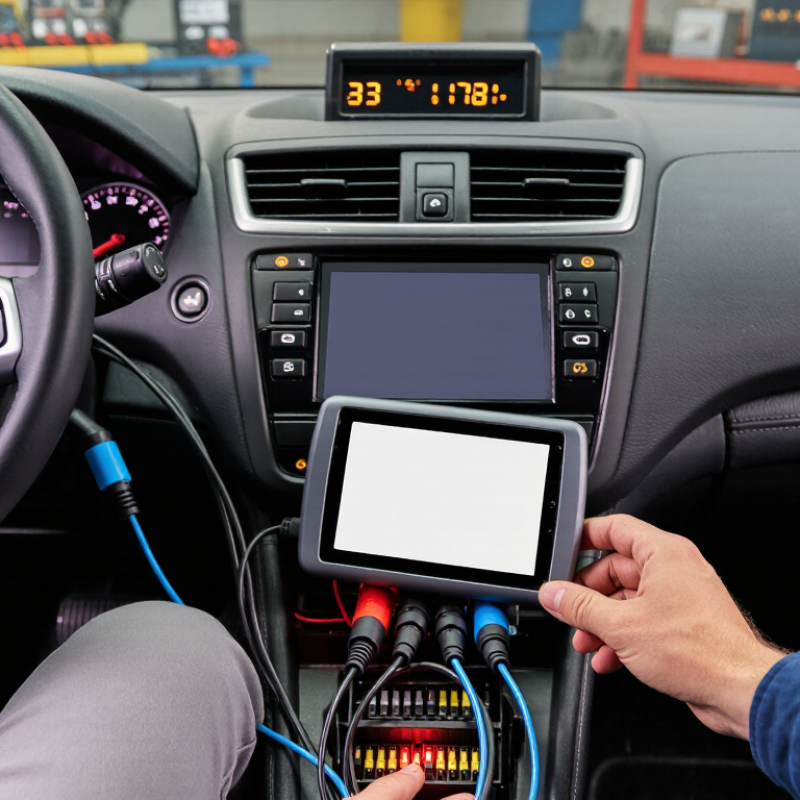
A scanner communicates with an ECU through a chain of power, wiring, protocols, and software. If one link fails, the screen may show “no communication,” even when the ECU itself is healthy. In workshop testing, the common causes include a weak vehicle battery, a damaged diagnostic cable, loose connector pins, poor grounding, incorrect protocol settings, outdated scanner software, a sleeping ECU, a failed communication gateway, network interference, or an internally damaged ECU.

The diagnostic port should receive stable power before any scan begins. Measure voltage at the port, then inspect the ground with a load rather than trusting visual checks. A clean-looking pin can still have high resistance. Check for bent terminals, moisture, and pushed-back wires. Communication lines also need careful testing because a shorted network wire can affect several control modules. Sometimes the scanner is connected correctly, but the selected vehicle system or model year is wrong.

A reliable process uses simple evidence. Record battery voltage, connector readings, fault symptoms, and the exact time communication fails. Compare results with service data, not memory. I have found that replacing a cable too quickly can hide a poor ground, while blaming the ECU can overlook a basic fuse. Diagnosis is not always neat. Recheck the test setup, especially after an unexpected result. Even a silent ECU may be waiting for ignition power, a wake-up signal, or a stable network connection.

Top 10 Reasons Why Your Scanner Cannot Communicate With ECU

Reference measurements for diagnosing scanner–ECU communication. Values are based on common OBD-II and high-speed CAN electrical checks; vehicle-specific specifications may differ.

Begin with power and ground, then verify the diagnostic connector, CAN wiring, termination resistance, bus voltage, communication speed, ignition state, and gateway access. A normal CAN bus commonly measures about 60 Ω across CAN-H and CAN-L with power off, approximately 2.5 V on both lines in the recessive state, and about 2 V differential voltage in the dominant state.

Checking Power, Ground, and Cable Connections

Top 10 Reasons Why Your Scanner Cannot Communicate With ECU

Checking Power, Ground, and Cable Connections

When a scanner displays “no communication,” do not blame software immediately. The 2024 U.S. Vehicle Dependability Study recorded 190 problems per 100 vehicles. That figure does not prove a power fault, but it reflects growing electronic complexity. S&P Global Mobility’s 2024 report placed the average vehicle age at 12.6 years. Older wiring deserves suspicion. A weak battery may crank the engine yet disrupt module communication.

Measure battery voltage before connecting the scanner. A healthy battery usually shows about 12.4 to 12.7 volts at rest. During cranking, voltage should generally remain above 9.6 volts. Check the diagnostic connector next. Under SAE J1962, pin 16 supplies battery power, while pins 4 and 5 provide ground. Test both grounds under load, not only with an open-circuit meter reading. A voltage-drop test can reveal resistance hidden by corrosion.

Inspect the cable for bent terminals, loose strain relief, crushed insulation, or intermittent continuity. Gently move the cable while watching scanner status. That simple test often exposes an internal break. I have seen technicians replace a scanner too quickly. I have made that assumption myself. It was the ground connection. Clean terminals carefully, confirm ignition power, and compare readings with a known-good cable before deeper network testing.

Verifying Scanner Compatibility and Communication Protocols

When a scanner cannot communicate with an ECU, compatibility is the first checkpoint. The U.S. Environmental Protection Agency requires OBD systems on most light-duty vehicles sold since 1996, but this does not guarantee access to every control module. Emissions diagnostics may respond while body, transmission, or safety modules remain silent. SAE J1979 standardizes diagnostic data requests, not complete vehicle coverage.

Protocol selection matters. Common systems include ISO 9141-2, ISO 14230, and ISO 15765-4 over CAN. A scanner designed only for basic CAN may fail with older K-line vehicles, or with CAN networks using different addressing.

Check the vehicle’s model year, engine, market, connector wiring, and supported protocol before testing. The 2024 S&P Global Mobility vehicle-age report places the average U.S. light vehicle age at about 12.6 years. That creates a difficult mix of legacy networks and newer gateway-controlled architectures.

In workshop testing, I verify battery voltage first, then inspect pins 4, 5, 6, and 14 for ground and CAN lines. A damaged adapter can imitate protocol failure. So can a low battery. Some newer vehicles require a gateway route or authenticated diagnostic session, which a generic tool may not support. I once blamed software too quickly; the real fault was a poor ground connection. That mistake still matters. Compatibility tables can be incomplete, so compare the scanner’s protocol list with repair documentation and live vehicle behavior.

Inspecting ECU Settings, Network Lines, and Diagnostic Ports

Top 10 Reasons Why Your Scanner Cannot Communicate With ECU

A scanner may power on while the ECU remains silent. The fault often sits in settings, wiring, or port condition, not the scanner itself. Confirm the vehicle’s exact model year, engine variant, and communication protocol. A wrong ECU selection can produce a clean screen and no useful data. Check ignition status, battery voltage, and whether the module is awake. Low voltage below about 12 volts can disrupt communication during testing.

Inspect the network lines with a wiring diagram and a quality multimeter. Look for loose terminals, pushed-back pins, corrosion, or repair joints hidden under tape. On a two-wire high-speed network, resistance near 60 ohms with power removed is commonly expected. An open circuit, short to ground, or unusual resistance needs careful tracing. Do not condemn the ECU yet. A damaged connector can create symptoms that resemble module failure.

The diagnostic port deserves close inspection. Check its power and ground pins under load, not only with an unloaded meter. Wiggle the connector gently while watching voltage and communication status. A bent terminal may touch only when the cable moves. Try another verified cable if available, but record every change. Skipping this record can cause repeated tests and false conclusions. Some interruptions remain unexplained until the harness is opened. A patient recheck is often more reliable than a quick replacement.

Testing Software, Fault Codes, and Possible ECU Failures

When a scanner cannot communicate with an ECU, begin by testing the software before replacing parts. Confirm that its version matches the vehicle configuration and communication protocol. Check battery voltage with a meter, not only the dashboard display. Low voltage can interrupt a diagnostic session and create misleading fault codes. Inspect the diagnostic connector for bent pins, moisture, or loose terminals. A quick visual check often reveals more than expected.

Connect the scanner securely, switch the ignition on, and let the software identify the control unit. If identification fails, try another approved cable or communication method. Record every result.

Fault codes need context. A stored code may describe an old event, not an active defect. Read freeze-frame data, live values, and network-related codes before clearing anything. Clearing codes too early removes useful evidence. I have seen technicians chase a sensor code when the real cause was a weak ground connection.

Test power, ground, and communication lines under load. Static voltage readings can look normal. That detail is easy to underestimate. If other modules communicate but one ECU remains silent, inspect its supply circuits, grounds, wake-up signals, and network wiring. A failed ECU is possible, but it should be a measured conclusion.

Check continuity, resistance, and signal activity against reliable service data. Sometimes the software is unstable, or the scan tool lacks access. Document the test conditions, because repeating an incomplete test creates confidence without proof.

FAQS

What should I check when a scanner shows “no communication”?

Check battery voltage, connector power, grounds, cable condition, and protocol compatibility. Do not blame software immediately. A weak battery may still start the engine.

What battery voltage is usually acceptable for scanning?

A resting battery commonly measures 12.4 to 12.7 volts. During cranking, it should generally stay above 9.6 volts. Measure it directly.

Which diagnostic connector pins need inspection?

Inspect pin 16 for battery power. Check pins 4 and 5 for ground. Pins 6 and 14 commonly carry CAN communication signals.

Why should diagnostic grounds be tested under load?

An open-circuit reading can hide corrosion or resistance. Perform a voltage-drop test while the circuit carries current. Static readings can mislead you.

How can a damaged cable cause communication failure?

Bent terminals, crushed insulation, or loose strain relief can interrupt signals. Gently move the cable while watching scanner status. Intermittent faults need patience.

Can a scanner support basic diagnostics but miss other modules?

Yes. Emissions access does not guarantee body, transmission, or safety-module access. The vehicle may require a specific protocol or diagnostic route.

What software checks should be completed before replacing an ECU?

Confirm software compatibility, ignition power, cable security, and communication settings. Try an approved cable or method. Record each result before changing parts.

When should an ECU be considered faulty?

Consider it only after testing supply voltage, grounds, wake-up signals, and network wiring. Compare readings with reliable service data. I have blamed software too quickly before.

Conclusion

When a scanner cannot communicate with an ECU, the problem may come from several points in the diagnostic chain. The first checks should focus on the vehicle’s battery voltage, scanner power, ground connections, diagnostic cable, and port condition. A loose connection, damaged wire, weak power supply, or poor grounding can interrupt communication. It is also important to confirm that the diagnostic tool supports the vehicle’s model, ECU system, and communication protocols. If you are asking, “why can't my vehicle diagnostic tool communicate with the ECU,” compatibility should be one of the first considerations.

Further inspection should include the scanner’s settings, selected vehicle information, network communication lines, and diagnostic port pins. Outdated software or incorrect settings may prevent the tool from recognizing the ECU, while stored fault codes can provide useful clues. In some cases, communication failures may indicate a damaged network circuit or an ECU problem that requires professional testing. A systematic inspection helps identify the cause efficiently and prevents unnecessary part replacement.

Isabella

Isabella

Isabella is a dedicated marketing professional with a sharp focus on driving brand growth and engagement through strategic content creation. With an extensive background in digital marketing, she combines her passion for storytelling with her keen understanding of industry trends to deliver......